SI Get Delays from System Model VI
- Updated2023-03-14
- 4 minute(s) read
SI Get Delays from System Model VI
Owning Palette: Model Management VIs
Requires: Advanced Signal Processing Toolkit or Control Design and Simulation Module
Returns the delay of the system from the system model. You must manually select the polymorphic instance to use.
SI Get Delays from System Model (SISO)

 |
system model contains information about the model structure, nominal or estimated parameters, identification result, and so on.
|
||
 |
error in describes error conditions that occur before this node runs. This input provides standard error in functionality. | ||
 |
delay returns the delay of the system model. | ||
 |
error out contains error information. This output provides standard error out functionality. |

SI Get Delays from System Model (MISO)

|
system model contains information about the model structure, nominal or estimated parameters, identification result, and so on.
|
||
|
error in describes error conditions that occur before this node runs. This input provides standard error in functionality. | ||
 |
delays returns the delays of the system model. | ||
|
error out contains error information. This output provides standard error out functionality. |
SI Get Delays from System Model (MIMO)
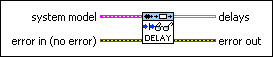
|
system model contains information about the model structure, nominal or estimated parameters, identification result, and so on.
|
||
|
error in describes error conditions that occur before this node runs. This input provides standard error in functionality. | ||
 |
delays returns the delays of the system model. | ||
|
error out contains error information. This output provides standard error out functionality. |
SI Get Delays from System Model Details
The System Identification VIs handle delays differently for discrete and continuous systems.
Discrete systems include delays in coefficients of the system model. For example, if a system has a delay of 2, the system adjusts the coefficients to 0, 0, a1, a2,…. You can use the SI Get Delays from System Model VI to determine delays, in number of samples, of discrete systems. You also can use the SI Get Orders of System Model VI to determine the delays in discrete systems.
Continuous systems save delays separately from coefficients. For example, if a system has a delay of 2, the system saves the information of delay separately and does not modify the coefficients. You can use the SI Get Delays from System Model VI to retrieve delays in seconds for continuous systems.