LabVIEW Advanced Signal Processing Toolkit API Reference

SI Estimate Transfer Function Model from FRF VI

  • Updated2023-02-21
  • 16 minute(s) read

SI Estimate Transfer Function Model from FRF VI

Owning Palette: Frequency-Domain Model Estimation VIs

Requires: Advanced Signal Processing Toolkit or Control Design and Simulation Module

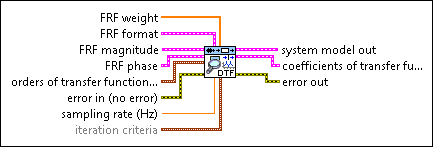
Estimates the parameters of a continuous or discrete transfer function (TF) model for an unknown system by using a frequency response function (FRF). You must manually select the polymorphic instance to use.

You can obtain the FRF of a dynamic system by using the SI Estimate FRF VI. You can wire the FRF magnitude and FRF phase outputs of the SI Estimate FRF VI to the FRF magnitude and FRF phase inputs of the SI Estimate Transfer Function Model from FRF VI.

Details  Examples

SI Estimate Continuous Transfer Function Model from FRF (SISO Arbitrary)

FRF weight specifies the frequency-domain weight of the estimation error. The estimation error is the difference between the original FRF and the FRF that the system model out generates. As you increase the FRF weight at a certain frequency, the estimation error at that frequency decreases.
FRF format specifies the format of the FRF magnitude and the FRF phase.
Note  If you use the SI Estimate FRF VI to estimate the FRF, specify the same FRF format settings for this parameter as you do for the SI Estimate FRF VI.
dB on? specifies whether magnitude is in decibels or in a linear scale. The default is FALSE, which specifies that this VI expresses magnitude in a linear scale.
unwrap phase? specifies whether the phase is unwrapped. The default is FALSE, which specifies that the phase is wrapped.
convert to degree? specifies whether the unit of phase is in radians or degrees. The default is FALSE, which means the phase is in radians.
FRF magnitude specifies the magnitude of the averaged frequency response and frequency scale.
frequency specifies the frequencies, in hertz, at which this VI evaluates the averaged frequency response.
magnitude specifies the magnitude of the averaged frequency response. Use dB on? to specify the unit of magnitude.
FRF phase specifies the phase of the averaged frequency response and frequency scale.
frequency specifies the frequencies, in hertz, at which this VI evaluates the averaged frequency response.
phase specifies the phase of the averaged frequency response. Use unwrap phase? to specify whether the phase is unwrapped. Use convert to degrees? to specify the unit of phase.
orders of transfer function model specifies the numerator and denominator orders of the transfer function model.
num order specifies the numerator order of the system model. The default value is 1.
den order specifies the denominator order of the system model. The default value is 2. The value of den order must be greater than the value of num order.
error in describes error conditions that occur before this node runs. This input provides standard error in functionality.
system model out returns information about the model structure, nominal or estimated parameters, identification result, and so on. Use the Model Management VIs to retrieve the information system model out contains.
Note  You can use a customized system model probe to view model information that flows through system model wires when you debug a block diagram created with the System Identification VIs. Right-click a system model wire and select Custom Probe»SI System Model from the shortcut menu to use the system model probe.
coefficients of transfer function model returns the coefficients of the transfer function model.
numerator returns the numerator coefficients of the transfer function model, in ascending order. The coefficients take the following form: b0 + b1s + … + bmsm.
denominator returns the denominator coefficients of the transfer function model, in ascending order. The coefficients take the following form: a0 + a1s + … + ansn.
error out contains error information. This output provides standard error out functionality.

SI Estimate Continuous Transfer Function Model from FRF (SISO Uniform)

FRF weight specifies the frequency-domain weight of the estimation error. The estimation error is the difference between the original FRF and the FRF that the system model out generates. As you increase the FRF weight at a certain frequency, the estimation error at that frequency decreases.
FRF format specifies the format of the FRF magnitude and the FRF phase.
Note  If you use the SI Estimate FRF VI to estimate the FRF, specify the same FRF format settings for this parameter as you do for the SI Estimate FRF VI.
dB on? specifies whether magnitude is in decibels or in a linear scale. The default is FALSE, which specifies that this VI expresses magnitude in a linear scale.
unwrap phase? specifies whether the phase is unwrapped. The default is FALSE, which specifies that the phase is wrapped.
convert to degree? specifies whether the unit of phase is in radians or degrees. The default is FALSE, which means the phase is in radians.
FRF magnitude specifies the magnitude of the averaged frequency response and frequency scale.
f0 specifies the starting frequency of the spectrum, in hertz.
df specifies the frequency increment of the spectrum, in hertz.
magnitude specifies the magnitude of the averaged frequency response. Use dB on? to specify the unit of magnitude.
FRF phase specifies the phase of the averaged frequency response and frequency scale.
f0 specifies the starting frequency of the spectrum, in hertz.
df specifies the frequency increment of the spectrum, in hertz.
phase specifies the phase of the averaged frequency response. Use unwrap phase? to specify whether the phase is unwrapped. Use convert to degrees? to specify the unit of phase.
orders of transfer function model specifies the numerator and denominator orders of the transfer function model.
num order specifies the numerator order of the system model. The default value is 1.
den order specifies the denominator order of the system model. The default value is 2. The value of den order must be greater than the value of num order.
error in describes error conditions that occur before this node runs. This input provides standard error in functionality.
system model out returns information about the model structure, nominal or estimated parameters, identification result, and so on. Use the Model Management VIs to retrieve the information system model out contains.
Note  You can use a customized system model probe to view model information that flows through system model wires when you debug a block diagram created with the System Identification VIs. Right-click a system model wire and select Custom Probe»SI System Model from the shortcut menu to use the system model probe.
coefficients of transfer function model returns the coefficients of the transfer function model.
numerator returns the numerator coefficients of the transfer function model, in ascending order. The coefficients take the following form: b0 + b1s + … + bmsm.
denominator returns the denominator coefficients of the transfer function model, in ascending order. The coefficients take the following form: a0 + a1s + … + ansn.
error out contains error information. This output provides standard error out functionality.

SI Estimate Discrete Transfer Function Model from FRF (SISO Arbitrary)

FRF weight specifies the frequency-domain weight of the estimation error. The estimation error is the difference between the original FRF and the FRF that the system model out generates. As you increase the FRF weight at a certain frequency, the estimation error at that frequency decreases.
FRF format specifies the format of the FRF magnitude and the FRF phase.
Note  If you use the SI Estimate FRF VI to estimate the FRF, specify the same FRF format settings for this parameter as you do for the SI Estimate FRF VI.
dB on? specifies whether magnitude is in decibels or in a linear scale. The default is FALSE, which specifies that this VI expresses magnitude in a linear scale.
unwrap phase? specifies whether the phase is unwrapped. The default is FALSE, which specifies that the phase is wrapped.
convert to degree? specifies whether the unit of phase is in radians or degrees. The default is FALSE, which means the phase is in radians.
FRF magnitude specifies the magnitude of the averaged frequency response and frequency scale.
frequency specifies the frequencies, in hertz, at which this VI evaluates the averaged frequency response.
magnitude specifies the magnitude of the averaged frequency response. Use dB on? to specify the unit of magnitude.
FRF phase specifies the phase of the averaged frequency response and frequency scale.
frequency specifies the frequencies, in hertz, at which this VI evaluates the averaged frequency response.
phase specifies the phase of the averaged frequency response. Use unwrap phase? to specify whether the phase is unwrapped. Use convert to degrees? to specify the unit of phase.
orders of transfer function model specifies the numerator and denominator orders of the transfer function model.
num order specifies the numerator order of the system model. The default value is 1.
den order specifies the denominator order of the system model. The default value is 2. The value of den order must be greater than the value of num order.
error in describes error conditions that occur before this node runs. This input provides standard error in functionality.
sampling rate (Hz) specifies the sampling frequency, in hertz, of the estimated discrete system model. The value of sampling rate must be greater than 0. The default value is twice the highest frequency of the FRF data.
iteration criteria specifies the stopping conditions for the model estimation iteration.
iteration num specifies the maximum number of iterations to estimate the model. If the number of iterations exceeds iteration num, LabVIEW terminates the estimation.
tolerance specifies the upper bound of the estimation error. If the estimation error is less than tolerance, LabVIEW accepts the current value and terminates the estimation.
system model out returns information about the model structure, nominal or estimated parameters, identification result, and so on. Use the Model Management VIs to retrieve the information system model out contains.
Note  You can use a customized system model probe to view model information that flows through system model wires when you debug a block diagram created with the System Identification VIs. Right-click a system model wire and select Custom Probe»SI System Model from the shortcut menu to use the system model probe.
coefficients of transfer function model returns the coefficients of the transfer function model.
numerator returns the numerator coefficients of the transfer function model, in ascending order. The coefficients take the following form: b0 + b1z + … + bmzm.
denominator returns the denominator coefficients of the transfer function model, in ascending order. The coefficients take the following form: a0 + a1z + … + anzn.
error out contains error information. This output provides standard error out functionality.

SI Estimate Discrete Transfer Function Model from FRF (SISO Uniform)
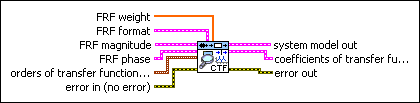
FRF weight specifies the frequency-domain weight of the estimation error. The estimation error is the difference between the original FRF and the FRF that the system model out generates. As you increase the FRF weight at a certain frequency, the estimation error at that frequency decreases.
FRF format specifies the format of the FRF magnitude and the FRF phase.
Note  If you use the SI Estimate FRF VI to estimate the FRF, specify the same FRF format settings for this parameter as you do for the SI Estimate FRF VI.
dB on? specifies whether magnitude is in decibels or in a linear scale. The default is FALSE, which specifies that this VI expresses magnitude in a linear scale.
unwrap phase? specifies whether the phase is unwrapped. The default is FALSE, which specifies that the phase is wrapped.
convert to degree? specifies whether the unit of phase is in radians or degrees. The default is FALSE, which means the phase is in radians.
FRF magnitude specifies the magnitude of the averaged frequency response and frequency scale.
f0 specifies the starting frequency of the spectrum, in hertz.
df specifies the frequency increment of the spectrum, in hertz.
magnitude specifies the magnitude of the averaged frequency response. Use dB on? to specify the unit of magnitude.
FRF phase specifies the phase of the averaged frequency response and frequency scale.
f0 specifies the starting frequency of the spectrum, in hertz.
df specifies the frequency increment of the spectrum, in hertz.
phase specifies the phase of the averaged frequency response. Use unwrap phase? to specify whether the phase is unwrapped. Use convert to degrees? to specify the unit of phase.
orders of transfer function model specifies the numerator and denominator orders of the transfer function model.
num order specifies the numerator order of the system model. The default value is 1.
den order specifies the denominator order of the system model. The default value is 2. The value of den order must be greater than the value of num order.
error in describes error conditions that occur before this node runs. This input provides standard error in functionality.
sampling rate (Hz) specifies the sampling frequency, in hertz, of the estimated discrete system model. The value of sampling rate must be greater than 0. The default value is twice the highest frequency of the FRF data.
iteration criteria specifies the stopping conditions for the model estimation iteration.
iteration num specifies the maximum number of iterations to estimate the model. If the number of iterations exceeds iteration num, LabVIEW terminates the estimation.
tolerance specifies the upper bound of the estimation error. If the estimation error is less than tolerance, LabVIEW accepts the current value and terminates the estimation.
system model out returns information about the model structure, nominal or estimated parameters, identification result, and so on. Use the Model Management VIs to retrieve the information system model out contains.
Note  You can use a customized system model probe to view model information that flows through system model wires when you debug a block diagram created with the System Identification VIs. Right-click a system model wire and select Custom Probe»SI System Model from the shortcut menu to use the system model probe.
coefficients of transfer function model returns the coefficients of the transfer function model.
numerator returns the numerator coefficients of the transfer function model, in ascending order. The coefficients take the following form: b0 + b1z + … + bmzm.
denominator returns the denominator coefficients of the transfer function model, in ascending order. The coefficients take the following form: a0 + a1z + … + anzn.
error out contains error information. This output provides standard error out functionality.

SI Estimate Transfer Function Model from FRF Details

If the frequency-domain data you wire to the FRF magnitude and FRF phase inputs is spaced uniformly, use the Uniform polymorphic instance of this VI. In this situation, you must specify the starting frequency f0 and the frequency increment df. If this data is spaced arbitrarily, use the Arbitrary polymorphic instance of this VI.

Note  You also can use the Arbitrary polymorphic instance if the frequency-domain data you wire to the FRF magnitude and FRF phase inputs is spaced uniformly.

Examples

Refer to the following VIs for examples of using the SI Estimate Transfer Function Model from FRF VI:

  • Flexible Arm (Frequency Domain) VI: labview\examples\System Identification\Industry Applications\Mechanical Systems.llb
  • Belt-driven Motion System (Frequency Domain) VI: labview\examples\System Identification\Industry Applications\Mechanical Systems.llb