RAID Creation
- Updated2025-11-25
- 2 minute(s) read
To configure the software RAID on the PXIe-8267, complete the following steps.
Note Back up your data before you configure the software RAID.
Note In the following steps, the disk drive capacities in the images are examples. You may see different capacities depending on your disk drives.
- Right-click My Computer and click Manage.
-
Click
Disk Management in the left window. You should see four disk drives of the same size in basic mode. If the disks do not have a status of
Unallocated, right-click any disk and select
Delete Partition.
-
Right-click any disk and select
New Striped Volume, then click
Next.

-
Click
Add until all available disks are moved to the
Selected window and click
Next.

-
Assign a drive letter and click
Next.

-
Configure the
Format Volume page as shown in the following figure and click
Next.

-
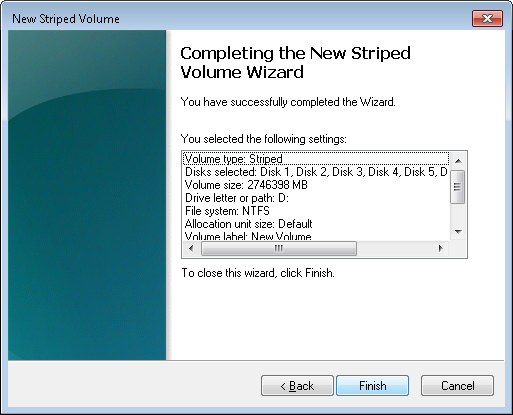
Click
Finish to close the New Striped Volume Wizard.
-
If the disks were configured in basic mode, click
Yes in the Disk Management dialog box to convert them to dynamic mode.
Note You must convert all disks that you want to include in the RAID array to dynamic mode.
