IMAQ FPGA Convolute VI
- Updated2023-02-21
- 101 minute(s) read
Requires: NI Vision Development Module FPGA
Filters an image using a linear filter.
 |
Note
This VI has variable latency, which is dependent on the image size. Plug the Minimum Latency value from the Estimated Performance section into the following formula to determine the total latency. For the x1 VI instances, use this forumla to calculate the total latency:
For the x8 VI instances, use this forumla to calculate the total latency:
When overclocking the x8 VI instances, use this forumla to calculate the total latency:
|
IMAQ FPGA Convolute 3x3 NoMask U8x1
Filters an image using a linear filter. The calculations are performed with either integers or floating points, depending on the image type and the contents of the kernel.
Supported Image Types


 |
Divider Value is a normalization factor that can be applied to the sum of the obtained products. The VI expects the inverse of the Divider Value input. For example, if the Divider Value is calculated to be 25, take the inverse (1/25 = 0.04) and pass the inverse value to the VI. Refer to the Convolution Kernels topic in the NI Vision Concepts Help for more information. |
|||||||||||||||||||||||||||
 |
Pixel Bus In when Input Valid is TRUE, contains one of the following: valid pixel data, an end of line signal, or an end of image signal.
|
|||||||||||||||||||||||||||
 |
Convolution Kernel 3x3 is an array that contains the convolution matrix to apply to the image. The kernel buffer should be transposed and then converted to a 1D array before being passed to the Convolution Kernel parameter. For example:
Transpose to:
Convert to 1D array:
|
|||||||||||||||||||||||||||
 |
Input Valid specifies whether the next data point has arrived for processing. Wire the Output Valid output of an upstream node to this input to transfer data from the upstream node to this node. |
|||||||||||||||||||||||||||
|
Ready For Output specifies whether downstream nodes are ready for this node to return a new value. The default is TRUE. Use a Feedback Node to wire the Ready for Input output of a downstream node to this input of the current node.
|
|||||||||||||||||||||||||||
 |
Pixel Bus Out when Input Valid is TRUE, contains one of the following: valid pixel data, an end of line signal, or an end of image signal.
|
|||||||||||||||||||||||||||
 |
Output Valid returns TRUE if this node has computed a result that downstream nodes can use. Wire this output to the Input Valid input of a downstream node to transfer data from the node to the downstream node. |
|||||||||||||||||||||||||||
|
Ready for Input returns TRUE if this node is ready to accept new input data. Use a Feedback Node to wire this output to the Ready for Output input of an upstream node.
|


IMAQ FPGA Convolute 3x3 NoMask U8x1 Details
|
Note Resource estimates are based on a 40 MHz clock. |
Virtex-5
Estimated Device Utilization
- Slice Registers: 2078
- Slice LUTs: 1956
- DSP48s: 13
- Block RAMs: 2
Estimated Performance
- Minimum Latency: 19
- Initiation Interval: 1
Spartan-6
Estimated Device Utilization
- Slice Registers: 2231
- Slice LUTs: 2106
- DSP48s: 13
- Block RAMs: 6
Estimated Performance
- Minimum Latency: 19
- Initiation Interval: 1
Zynq
Estimated Device Utilization
- Slice Registers: 2277
- Slice LUTs: 1603
- DSP48s: 13
- Block RAMs: 3
Estimated Performance
- Minimum Latency: 18
- Initiation Interval: 1
Kintex-7
Estimated Device Utilization
- Slice Registers: 2384
- Slice LUTs: 1700
- DSP48s: 13
- Block RAMs: 3
Estimated Performance
- Minimum Latency: 18
- Initiation Interval: 1
IMAQ FPGA Convolute 3x3 NoMask U8x8
Filters an image using a linear filter. The calculations are performed with either integers or floating points, depending on the image type and the contents of the kernel.
Supported Image Types

|
Overclock? must be connected to a constant. This parameter is set to TRUE when the SCTL clock is less than or equal to 60MHz. For SCTL clocks greater than 60MHz, this parameter must to be connected with a FALSE constant. |
|||||||||||||||||||||||||||
|
Divider Value is a normalization factor that can be applied to the sum of the obtained products. The VI expects the inverse of the Divider Value input. For example, if the Divider Value is calculated to be 25, take the inverse (1/25 = 0.04) and pass the inverse value to the VI. Refer to the Convolution Kernels topic in the NI Vision Concepts Help for more information. |
|||||||||||||||||||||||||||
|
Pixel Bus In when Input Valid is TRUE, contains one of the following: valid pixel data, an end of line signal, or an end of image signal.
|
|||||||||||||||||||||||||||
 |
Clock is a required input when Overclock? is set to TRUE. This input requires a clock which is double the clock connected to the SCTL. |
|||||||||||||||||||||||||||
|
Convolution Kernel 3x3 is an array that contains the convolution matrix to apply to the image. The kernel buffer should be transposed and then converted to a 1D array before being passed to the Convolution Kernel parameter. For example:
Transpose to:
Convert to 1D array:
|
|||||||||||||||||||||||||||
|
Input Valid specifies whether the next data point has arrived for processing. Wire the Output Valid output of an upstream node to this input to transfer data from the upstream node to this node. |
|||||||||||||||||||||||||||
|
Ready For Output specifies whether downstream nodes are ready for this node to return a new value. The default is TRUE. Use a Feedback Node to wire the Ready for Input output of a downstream node to this input of the current node.
|
|||||||||||||||||||||||||||
|
Pixel Bus Out when Input Valid is TRUE, contains one of the following: valid pixel data, an end of line signal, or an end of image signal.
|
|||||||||||||||||||||||||||
|
Output Valid returns TRUE if this node has computed a result that downstream nodes can use. Wire this output to the Input Valid input of a downstream node to transfer data from the node to the downstream node. |
|||||||||||||||||||||||||||
|
Ready for Input returns TRUE if this node is ready to accept new input data. Use a Feedback Node to wire this output to the Ready for Output input of an upstream node.
|
IMAQ FPGA Convolute 3x3 NoMask U8x8 Details
|
Note Resource estimates are based on a 40 MHz clock. |
Kintex-7
Estimated Device Utilization
- Slice Registers: 5309
- Slice LUTs: 4006
- DSP48s: 52
- Block RAMs: 5
Estimated Performance
- Minimum Latency: 43
- Initiation Interval: 1
IMAQ FPGA Convolute 3x3 NoMask U16x1
Filters an image using a linear filter. The calculations are performed with either integers or floating points, depending on the image type and the contents of the kernel.
Supported Image Types


|
Divider Value is a normalization factor that can be applied to the sum of the obtained products. The VI expects the inverse of the Divider Value input. For example, if the Divider Value is calculated to be 25, take the inverse (1/25 = 0.04) and pass the inverse value to the VI. Refer to the Convolution Kernels topic in the NI Vision Concepts Help for more information. |
|||||||||||||||||||||||||||
|
Pixel Bus In when Input Valid is TRUE, contains one of the following: valid pixel data, an end of line signal, or an end of image signal.
|
|||||||||||||||||||||||||||
|
Convolution Kernel 3x3 is an array that contains the convolution matrix to apply to the image. The kernel buffer should be transposed and then converted to a 1D array before being passed to the Convolution Kernel parameter. For example:
Transpose to:
Convert to 1D array:
|
|||||||||||||||||||||||||||
|
Input Valid specifies whether the next data point has arrived for processing. Wire the Output Valid output of an upstream node to this input to transfer data from the upstream node to this node. |
|||||||||||||||||||||||||||
|
Ready For Output specifies whether downstream nodes are ready for this node to return a new value. The default is TRUE. Use a Feedback Node to wire the Ready for Input output of a downstream node to this input of the current node.
|
|||||||||||||||||||||||||||
|
Pixel Bus Out when Input Valid is TRUE, contains one of the following: valid pixel data, an end of line signal, or an end of image signal.
|
|||||||||||||||||||||||||||
|
Output Valid returns TRUE if this node has computed a result that downstream nodes can use. Wire this output to the Input Valid input of a downstream node to transfer data from the node to the downstream node. |
|||||||||||||||||||||||||||
|
Ready for Input returns TRUE if this node is ready to accept new input data. Use a Feedback Node to wire this output to the Ready for Output input of an upstream node.
|


IMAQ FPGA Convolute 3x3 NoMask U16x1 Details
|
Note Resource estimates are based on a 40 MHz clock. |
Virtex-5
Estimated Device Utilization
- Slice Registers: 2513
- Slice LUTs: 2168
- DSP48s: 17
- Block RAMs: 3
Estimated Performance
- Minimum Latency: 20
- Initiation Interval: 1
Spartan-6
Estimated Device Utilization
- Slice Registers: 2624
- Slice LUTs: 2340
- DSP48s: 17
- Block RAMs: 6
Estimated Performance
- Minimum Latency: 20
- Initiation Interval: 1
Zynq
Estimated Device Utilization
- Slice Registers: 3114
- Slice LUTs: 2122
- DSP48s: 13
- Block RAMs: 3
Estimated Performance
- Minimum Latency: 18
- Initiation Interval: 1
Kintex-7
Estimated Device Utilization
- Slice Registers: 3641
- Slice LUTs: 2563
- DSP48s: 13
- Block RAMs: 6
Estimated Performance
- Minimum Latency: 18
- Initiation Interval: 1
IMAQ FPGA Convolute 3x3 NoMask U16x8
Filters an image using a linear filter. The calculations are performed with either integers or floating points, depending on the image type and the contents of the kernel.
Supported Image Types

|
Overclock? must be connected to a constant. This parameter is set to TRUE when the SCTL clock is less than or equal to 60MHz. For SCTL clocks greater than 60MHz, this parameter must to be connected with a FALSE constant. |
|||||||||||||||||||||||||||
|
Divider Value is a normalization factor that can be applied to the sum of the obtained products. The VI expects the inverse of the Divider Value input. For example, if the Divider Value is calculated to be 25, take the inverse (1/25 = 0.04) and pass the inverse value to the VI. Refer to the Convolution Kernels topic in the NI Vision Concepts Help for more information. |
|||||||||||||||||||||||||||
|
Pixel Bus In when Input Valid is TRUE, contains one of the following: valid pixel data, an end of line signal, or an end of image signal.
|
|||||||||||||||||||||||||||
|
Clock is a required input when Overclock? is set to TRUE. This input requires a clock which is double the clock connected to the SCTL. |
|||||||||||||||||||||||||||
|
Convolution Kernel 3x3 is an array that contains the convolution matrix to apply to the image. The kernel buffer should be transposed and then converted to a 1D array before being passed to the Convolution Kernel parameter. For example:
Transpose to:
Convert to 1D array:
|
|||||||||||||||||||||||||||
|
Input Valid specifies whether the next data point has arrived for processing. Wire the Output Valid output of an upstream node to this input to transfer data from the upstream node to this node. |
|||||||||||||||||||||||||||
|
Ready For Output specifies whether downstream nodes are ready for this node to return a new value. The default is TRUE. Use a Feedback Node to wire the Ready for Input output of a downstream node to this input of the current node.
|
|||||||||||||||||||||||||||
|
Pixel Bus Out when Input Valid is TRUE, contains one of the following: valid pixel data, an end of line signal, or an end of image signal.
|
|||||||||||||||||||||||||||
|
Output Valid returns TRUE if this node has computed a result that downstream nodes can use. Wire this output to the Input Valid input of a downstream node to transfer data from the node to the downstream node. |
|||||||||||||||||||||||||||
|
Ready for Input returns TRUE if this node is ready to accept new input data. Use a Feedback Node to wire this output to the Ready for Output input of an upstream node.
|
IMAQ FPGA Convolute 3x3 NoMask U16x8 Details
|
Note Resource estimates are based on a 40 MHz clock. |
Kintex-7
Estimated Device Utilization
- Slice Registers: 9446
- Slice LUTs: 6013
- DSP48s: 52
- Block RAMs: 8
Estimated Performance
- Minimum Latency: 45
- Initiation Interval: 1
IMAQ FPGA Convolute 5x5 NoMask U8x1
Filters an image using a linear filter. The calculations are performed with either integers or floating points, depending on the image type and the contents of the kernel.
Supported Image Types

|
Divider Value is a normalization factor that can be applied to the sum of the obtained products. The VI expects the inverse of the Divider Value input. For example, if the Divider Value is calculated to be 25, take the inverse (1/25 = 0.04) and pass the inverse value to the VI. Refer to the Convolution Kernels topic in the NI Vision Concepts Help for more information. |
|||||||||||||||||||||||||||
|
Pixel Bus In when Input Valid is TRUE, contains one of the following: valid pixel data, an end of line signal, or an end of image signal.
|
|||||||||||||||||||||||||||
|
Convolution Kernel 5x5 is an array that contains the convolution matrix to apply to the image. The kernel buffer should be transposed and then converted to a 1D array before being passed to the Convolution Kernel parameter. For example:
Transpose to:
Convert to 1D array:
|
|||||||||||||||||||||||||||
|
Input Valid specifies whether the next data point has arrived for processing. Wire the Output Valid output of an upstream node to this input to transfer data from the upstream node to this node. |
|||||||||||||||||||||||||||
|
Ready For Output specifies whether downstream nodes are ready for this node to return a new value. The default is TRUE. Use a Feedback Node to wire the Ready for Input output of a downstream node to this input of the current node.
|
|||||||||||||||||||||||||||
|
Pixel Bus Out when Input Valid is TRUE, contains one of the following: valid pixel data, an end of line signal, or an end of image signal.
|
|||||||||||||||||||||||||||
|
Output Valid returns TRUE if this node has computed a result that downstream nodes can use. Wire this output to the Input Valid input of a downstream node to transfer data from the node to the downstream node. |
|||||||||||||||||||||||||||
|
Ready for Input returns TRUE if this node is ready to accept new input data. Use a Feedback Node to wire this output to the Ready for Output input of an upstream node.
|
IMAQ FPGA Convolute 5x5 NoMask U8x1 Details
|
Note Resource estimates are based on a 40 MHz clock. |
Virtex-5
Estimated Device Utilization
- Slice Registers: 5133
- Slice LUTs: 4971
- DSP48s: 29
- Block RAMs: 6
Estimated Performance
- Minimum Latency: 34
- Initiation Interval: 1
Spartan-6
Estimated Device Utilization
- Slice Registers: 5743
- Slice LUTs: 5596
- DSP48s: 29
- Block RAMs: 12
Estimated Performance
- Minimum Latency: 34
- Initiation Interval: 1
Zynq
Estimated Device Utilization
- Slice Registers: 5078
- Slice LUTs: 3077
- DSP48s: 29
- Block RAMs: 6
Estimated Performance
- Minimum Latency: 28
- Initiation Interval: 1
Kintex-7
Estimated Device Utilization
- Slice Registers: 5339
- Slice LUTs: 3264
- DSP48s: 29
- Block RAMs: 6
Estimated Performance
- Minimum Latency: 28
- Initiation Interval: 1
IMAQ FPGA Convolute 5x5 NoMask U8x8
Filters an image using a linear filter. The calculations are performed with either integers or floating points, depending on the image type and the contents of the kernel.
Supported Image Types

|
Overclock? must be connected to a constant. This parameter is set to TRUE when the SCTL clock is less than or equal to 60MHz. For SCTL clocks greater than 60MHz, this parameter must to be connected with a FALSE constant. |
|||||||||||||||||||||||||||
|
Divider Value is a normalization factor that can be applied to the sum of the obtained products. The VI expects the inverse of the Divider Value input. For example, if the Divider Value is calculated to be 25, take the inverse (1/25 = 0.04) and pass the inverse value to the VI. Refer to the Convolution Kernels topic in the NI Vision Concepts Help for more information. |
|||||||||||||||||||||||||||
|
Pixel Bus In when Input Valid is TRUE, contains one of the following: valid pixel data, an end of line signal, or an end of image signal.
|
|||||||||||||||||||||||||||
|
Clock is a required input when Overclock? is set to TRUE. This input requires a clock which is double the clock connected to the SCTL. |
|||||||||||||||||||||||||||
|
Convolution Kernel 5x5 is an array that contains the convolution matrix to apply to the image. The kernel buffer should be transposed and then converted to a 1D array before being passed to the Convolution Kernel parameter. For example:
Transpose to:
Convert to 1D array:
|
|||||||||||||||||||||||||||
|
Input Valid specifies whether the next data point has arrived for processing. Wire the Output Valid output of an upstream node to this input to transfer data from the upstream node to this node. |
|||||||||||||||||||||||||||
|
Ready For Output specifies whether downstream nodes are ready for this node to return a new value. The default is TRUE. Use a Feedback Node to wire the Ready for Input output of a downstream node to this input of the current node.
|
|||||||||||||||||||||||||||
|
Pixel Bus Out when Input Valid is TRUE, contains one of the following: valid pixel data, an end of line signal, or an end of image signal.
|
|||||||||||||||||||||||||||
|
Output Valid returns TRUE if this node has computed a result that downstream nodes can use. Wire this output to the Input Valid input of a downstream node to transfer data from the node to the downstream node. |
|||||||||||||||||||||||||||
|
Ready for Input returns TRUE if this node is ready to accept new input data. Use a Feedback Node to wire this output to the Ready for Output input of an upstream node.
|
IMAQ FPGA Convolute 5x5 NoMask U8x8 Details
|
Note Resource estimates are based on a 40 MHz clock. |
Kintex-7
Estimated Device Utilization
- Slice Registers: 11948
- Slice LUTs: 7986
- DSP48s: 116
- Block RAMs: 9
Estimated Performance
- Minimum Latency: 68
- Initiation Interval: 1
IMAQ FPGA Convolute 5x5 NoMask U16x1
Filters an image using a linear filter. The calculations are performed with either integers or floating points, depending on the image type and the contents of the kernel.
Supported Image Types

|
Divider Value is a normalization factor that can be applied to the sum of the obtained products. The VI expects the inverse of the Divider Value input. For example, if the Divider Value is calculated to be 25, take the inverse (1/25 = 0.04) and pass the inverse value to the VI. Refer to the Convolution Kernels topic in the NI Vision Concepts Help for more information. |
|||||||||||||||||||||||||||
|
Pixel Bus In when Input Valid is TRUE, contains one of the following: valid pixel data, an end of line signal, or an end of image signal.
|
|||||||||||||||||||||||||||
|
Convolution Kernel 5x5 is an array that contains the convolution matrix to apply to the image. The kernel buffer should be transposed and then converted to a 1D array before being passed to the Convolution Kernel parameter. For example:
Transpose to:
Convert to 1D array:
|
|||||||||||||||||||||||||||
|
Input Valid specifies whether the next data point has arrived for processing. Wire the Output Valid output of an upstream node to this input to transfer data from the upstream node to this node. |
|||||||||||||||||||||||||||
|
Ready For Output specifies whether downstream nodes are ready for this node to return a new value. The default is TRUE. Use a Feedback Node to wire the Ready for Input output of a downstream node to this input of the current node.
|
|||||||||||||||||||||||||||
|
Pixel Bus Out when Input Valid is TRUE, contains one of the following: valid pixel data, an end of line signal, or an end of image signal.
|
|||||||||||||||||||||||||||
|
Output Valid returns TRUE if this node has computed a result that downstream nodes can use. Wire this output to the Input Valid input of a downstream node to transfer data from the node to the downstream node. |
|||||||||||||||||||||||||||
|
Ready for Input returns TRUE if this node is ready to accept new input data. Use a Feedback Node to wire this output to the Ready for Output input of an upstream node.
|
IMAQ FPGA Convolute 5x5 NoMask U16x1 Details
|
Note Resource estimates are based on a 40 MHz clock. |
Virtex-5
Estimated Device Utilization
- Slice Registers: 4985
- Slice LUTs: 4325
- DSP48s: 33
- Block RAMs: 6
Estimated Performance
- Minimum Latency: 20
- Initiation Interval: 1
Spartan-6
Estimated Device Utilization
- Slice Registers: 5161
- Slice LUTs: 4928
- DSP48s: 33
- Block RAMs: 12
Estimated Performance
- Minimum Latency: 20
- Initiation Interval: 1
Zynq
Estimated Device Utilization
- Slice Registers: 6245
- Slice LUTs: 3799
- DSP48s: 29
- Block RAMs: 6
Estimated Performance
- Minimum Latency: 18
- Initiation Interval: 1
Kintex-7
Estimated Device Utilization
- Slice Registers: 7122
- Slice LUTs: 4964
- DSP48s: 29
- Block RAMs: 12
Estimated Performance
- Minimum Latency: 18
- Initiation Interval: 1
IMAQ FPGA Convolute 5x5 NoMask U16x8
Filters an image using a linear filter. The calculations are performed with either integers or floating points, depending on the image type and the contents of the kernel.
Supported Image Types

|
Overclock? must be connected to a constant. This parameter is set to TRUE when the SCTL clock is less than or equal to 60MHz. For SCTL clocks greater than 60MHz, this parameter must to be connected with a FALSE constant. |
|||||||||||||||||||||||||||
|
Divider Value is a normalization factor that can be applied to the sum of the obtained products. The VI expects the inverse of the Divider Value input. For example, if the Divider Value is calculated to be 25, take the inverse (1/25 = 0.04) and pass the inverse value to the VI. Refer to the Convolution Kernels topic in the NI Vision Concepts Help for more information. |
|||||||||||||||||||||||||||
|
Pixel Bus In when Input Valid is TRUE, contains one of the following: valid pixel data, an end of line signal, or an end of image signal.
|
|||||||||||||||||||||||||||
|
Clock is a required input when Overclock? is set to TRUE. This input requires a clock which is double the clock connected to the SCTL. |
|||||||||||||||||||||||||||
|
Convolution Kernel 5x5 is an array that contains the convolution matrix to apply to the image. The kernel buffer should be transposed and then converted to a 1D array before being passed to the Convolution Kernel parameter. For example:
Transpose to:
Convert to 1D array:
|
|||||||||||||||||||||||||||
|
Input Valid specifies whether the next data point has arrived for processing. Wire the Output Valid output of an upstream node to this input to transfer data from the upstream node to this node. |
|||||||||||||||||||||||||||
|
Ready For Output specifies whether downstream nodes are ready for this node to return a new value. The default is TRUE. Use a Feedback Node to wire the Ready for Input output of a downstream node to this input of the current node.
|
|||||||||||||||||||||||||||
|
Pixel Bus Out when Input Valid is TRUE, contains one of the following: valid pixel data, an end of line signal, or an end of image signal.
|
|||||||||||||||||||||||||||
|
Output Valid returns TRUE if this node has computed a result that downstream nodes can use. Wire this output to the Input Valid input of a downstream node to transfer data from the node to the downstream node. |
|||||||||||||||||||||||||||
|
Ready for Input returns TRUE if this node is ready to accept new input data. Use a Feedback Node to wire this output to the Ready for Output input of an upstream node.
|
IMAQ FPGA Convolute 5x5 NoMask U16x8 Details
|
Note Resource estimates are based on a 40 MHz clock. |
Kintex-7
Estimated Device Utilization
- Slice Registers: 17060
- Slice LUTs: 10824
- DSP48s: 116
- Block RAMs: 18
Estimated Performance
- Minimum Latency: 45
- Initiation Interval: 1
IMAQ FPGA Convolute 7x7 NoMask U8x1
Filters an image using a linear filter. The calculations are performed with either integers or floating points, depending on the image type and the contents of the kernel.
Supported Image Types

|
Divider Value is a normalization factor that can be applied to the sum of the obtained products. The VI expects the inverse of the Divider Value input. For example, if the Divider Value is calculated to be 25, take the inverse (1/25 = 0.04) and pass the inverse value to the VI. Refer to the Convolution Kernels topic in the NI Vision Concepts Help for more information. |
|||||||||||||||||||||||||||
|
Pixel Bus In when Input Valid is TRUE, contains one of the following: valid pixel data, an end of line signal, or an end of image signal.
|
|||||||||||||||||||||||||||
|
Convolution Kernel 7x7 is an array that contains the convolution matrix to apply to the image. The kernel buffer should be transposed and then converted to a 1D array before being passed to the Convolution Kernel parameter. For example:
Transpose to:
Convert to 1D array:
|
|||||||||||||||||||||||||||
|
Input Valid specifies whether the next data point has arrived for processing. Wire the Output Valid output of an upstream node to this input to transfer data from the upstream node to this node. |
|||||||||||||||||||||||||||
|
Ready For Output specifies whether downstream nodes are ready for this node to return a new value. The default is TRUE. Use a Feedback Node to wire the Ready for Input output of a downstream node to this input of the current node.
|
|||||||||||||||||||||||||||
|
Pixel Bus Out when Input Valid is TRUE, contains one of the following: valid pixel data, an end of line signal, or an end of image signal.
|
|||||||||||||||||||||||||||
|
Output Valid returns TRUE if this node has computed a result that downstream nodes can use. Wire this output to the Input Valid input of a downstream node to transfer data from the node to the downstream node. |
|||||||||||||||||||||||||||
|
Ready for Input returns TRUE if this node is ready to accept new input data. Use a Feedback Node to wire this output to the Ready for Output input of an upstream node.
|
IMAQ FPGA Convolute 7x7 NoMask U8x1 Details
|
Note Resource estimates are based on a 40 MHz clock. |
Virtex-5
Estimated Device Utilization
- Slice Registers: 10100
- Slice LUTs: 8082
- DSP48s: 53
- Block RAMs: 9
Estimated Performance
- Minimum Latency: 33
- Initiation Interval: 1
Spartan-6
Estimated Device Utilization
- Slice Registers: 10159
- Slice LUTs: 9096
- DSP48s: 53
- Block RAMs: 18
Estimated Performance
- Minimum Latency: 33
- Initiation Interval: 1
Zynq
Estimated Device Utilization
- Slice Registers: 8605
- Slice LUTs: 6011
- DSP48s: 53
- Block RAMs: 9
Estimated Performance
- Minimum Latency: 28
- Initiation Interval: 1
Kintex-7
Estimated Device Utilization
- Slice Registers: 8796
- Slice LUTs: 5871
- DSP48s: 53
- Block RAMs: 9
Estimated Performance
- Minimum Latency: 28
- Initiation Interval: 1
IMAQ FPGA Convolute 7x7 NoMask U8x8
Filters an image using a linear filter. The calculations are performed with either integers or floating points, depending on the image type and the contents of the kernel.
Supported Image Types

|
Overclock? must be connected to a constant. This parameter is set to TRUE when the SCTL clock is less than or equal to 60MHz. For SCTL clocks greater than 60MHz, this parameter must to be connected with a FALSE constant. |
|||||||||||||||||||||||||||
|
Divider Value is a normalization factor that can be applied to the sum of the obtained products. The VI expects the inverse of the Divider Value input. For example, if the Divider Value is calculated to be 25, take the inverse (1/25 = 0.04) and pass the inverse value to the VI. Refer to the Convolution Kernels topic in the NI Vision Concepts Help for more information. |
|||||||||||||||||||||||||||
|
Pixel Bus In when Input Valid is TRUE, contains one of the following: valid pixel data, an end of line signal, or an end of image signal.
|
|||||||||||||||||||||||||||
|
Clock is a required input when Overclock? is set to TRUE. This input requires a clock which is double the clock connected to the SCTL. |
|||||||||||||||||||||||||||
|
Convolution Kernel 7x7 is an array that contains the convolution matrix to apply to the image. The kernel buffer should be transposed and then converted to a 1D array before being passed to the Convolution Kernel parameter. For example:
Transpose to:
Convert to 1D array:
|
|||||||||||||||||||||||||||
|
Input Valid specifies whether the next data point has arrived for processing. Wire the Output Valid output of an upstream node to this input to transfer data from the upstream node to this node. |
|||||||||||||||||||||||||||
|
Ready For Output specifies whether downstream nodes are ready for this node to return a new value. The default is TRUE. Use a Feedback Node to wire the Ready for Input output of a downstream node to this input of the current node.
|
|||||||||||||||||||||||||||
|
Pixel Bus Out when Input Valid is TRUE, contains one of the following: valid pixel data, an end of line signal, or an end of image signal.
|
|||||||||||||||||||||||||||
|
Output Valid returns TRUE if this node has computed a result that downstream nodes can use. Wire this output to the Input Valid input of a downstream node to transfer data from the node to the downstream node. |
|||||||||||||||||||||||||||
|
Ready for Input returns TRUE if this node is ready to accept new input data. Use a Feedback Node to wire this output to the Ready for Output input of an upstream node.
|
IMAQ FPGA Convolute 7x7 NoMask U8x8 Details
|
Note Resource estimates are based on a 40 MHz clock. |
Kintex-7
Estimated Device Utilization
- Slice Registers: 19695
- Slice LUTs: 14383
- DSP48s: 212
- Block RAMs: 18
Estimated Performance
- Minimum Latency: 70
- Initiation Interval: 1
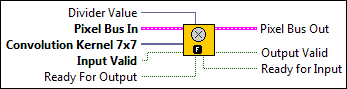
IMAQ FPGA Convolute 7x7 NoMask U16x1
Filters an image using a linear filter. The calculations are performed with either integers or floating points, depending on the image type and the contents of the kernel.
Supported Image Types
|
Divider Value is a normalization factor that can be applied to the sum of the obtained products. The VI expects the inverse of the Divider Value input. For example, if the Divider Value is calculated to be 25, take the inverse (1/25 = 0.04) and pass the inverse value to the VI. Refer to the Convolution Kernels topic in the NI Vision Concepts Help for more information. |
|||||||||||||||||||||||||||
|
Pixel Bus In when Input Valid is TRUE, contains one of the following: valid pixel data, an end of line signal, or an end of image signal.
|
|||||||||||||||||||||||||||
|
Convolution Kernel 7x7 is an array that contains the convolution matrix to apply to the image. The kernel buffer should be transposed and then converted to a 1D array before being passed to the Convolution Kernel parameter. For example:
Transpose to:
Convert to 1D array:
|
|||||||||||||||||||||||||||
|
Input Valid specifies whether the next data point has arrived for processing. Wire the Output Valid output of an upstream node to this input to transfer data from the upstream node to this node. |
|||||||||||||||||||||||||||
|
Ready For Output specifies whether downstream nodes are ready for this node to return a new value. The default is TRUE. Use a Feedback Node to wire the Ready for Input output of a downstream node to this input of the current node.
|
|||||||||||||||||||||||||||
|
Pixel Bus Out when Input Valid is TRUE, contains one of the following: valid pixel data, an end of line signal, or an end of image signal.
|
|||||||||||||||||||||||||||
|
Output Valid returns TRUE if this node has computed a result that downstream nodes can use. Wire this output to the Input Valid input of a downstream node to transfer data from the node to the downstream node. |
|||||||||||||||||||||||||||
|
Ready for Input returns TRUE if this node is ready to accept new input data. Use a Feedback Node to wire this output to the Ready for Output input of an upstream node.
|
IMAQ FPGA Convolute 7x7 NoMask U16x1 Details
|
Note Resource estimates are based on a 40 MHz clock. |
Virtex-5
Estimated Device Utilization
- Slice Registers: 12237
- Slice LUTs: 10593
- DSP48s: 57
- Block RAMs: 15
Estimated Performance
- Minimum Latency: 21
- Initiation Interval: 1
Spartan-6
Estimated Device Utilization
- Slice Registers: 13514
- Slice LUTs: 13003
- DSP48s: 57
- Block RAMs: 36
Estimated Performance
- Minimum Latency: 21
- Initiation Interval: 1
Zynq
Estimated Device Utilization
- Slice Registers: 19699
- Slice LUTs: 16039
- DSP48s: 54
- Block RAMs: 34
Estimated Performance
- Minimum Latency: 18
- Initiation Interval: 1
Kintex-7
Estimated Device Utilization
- Slice Registers: 12386
- Slice LUTs: 7970
- DSP48s: 54
- Block RAMs: 18
Estimated Performance
- Minimum Latency: 18
- Initiation Interval: 1
IMAQ FPGA Convolute 7x7 NoMask U16x8
Filters an image using a linear filter. The calculations are performed with either integers or floating points, depending on the image type and the contents of the kernel.
Supported Image Types

|
Overclock? must be connected to a constant. This parameter is set to TRUE when the SCTL clock is less than or equal to 60MHz. For SCTL clocks greater than 60MHz, this parameter must to be connected with a FALSE constant. |
|||||||||||||||||||||||||||
|
Divider Value is a normalization factor that can be applied to the sum of the obtained products. The VI expects the inverse of the Divider Value input. For example, if the Divider Value is calculated to be 25, take the inverse (1/25 = 0.04) and pass the inverse value to the VI. Refer to the Convolution Kernels topic in the NI Vision Concepts Help for more information. |
|||||||||||||||||||||||||||
|
Pixel Bus In when Input Valid is TRUE, contains one of the following: valid pixel data, an end of line signal, or an end of image signal.
|
|||||||||||||||||||||||||||
|
Clock is a required input when Overclock? is set to TRUE. This input requires a clock which is double the clock connected to the SCTL. |
|||||||||||||||||||||||||||
|
Convolution Kernel 7x7 is an array that contains the convolution matrix to apply to the image. The kernel buffer should be transposed and then converted to a 1D array before being passed to the Convolution Kernel parameter. For example:
Transpose to:
Convert to 1D array:
|
|||||||||||||||||||||||||||
|
Input Valid specifies whether the next data point has arrived for processing. Wire the Output Valid output of an upstream node to this input to transfer data from the upstream node to this node. |
|||||||||||||||||||||||||||
|
Ready For Output specifies whether downstream nodes are ready for this node to return a new value. The default is TRUE. Use a Feedback Node to wire the Ready for Input output of a downstream node to this input of the current node.
|
|||||||||||||||||||||||||||
|
Pixel Bus Out when Input Valid is TRUE, contains one of the following: valid pixel data, an end of line signal, or an end of image signal.
|
|||||||||||||||||||||||||||
|
Output Valid returns TRUE if this node has computed a result that downstream nodes can use. Wire this output to the Input Valid input of a downstream node to transfer data from the node to the downstream node. |
|||||||||||||||||||||||||||
|
Ready for Input returns TRUE if this node is ready to accept new input data. Use a Feedback Node to wire this output to the Ready for Output input of an upstream node.
|
IMAQ FPGA Convolute 7x7 NoMask U16x8 Details
|
Note Resource estimates are based on a 40 MHz clock. |
Kintex-7
Estimated Device Utilization
- Slice Registers: 41318
- Slice LUTs: 28382
- DSP48s: 216
- Block RAMs: 32
Estimated Performance
- Minimum Latency: 89
- Initiation Interval: 1
IMAQ FPGA Convolute 9x9 NoMask U8x1
Filters an image using a linear filter. The calculations are performed with either integers or floating points, depending on the image type and the contents of the kernel.
Supported Image Types

|
Divider Value is a normalization factor that can be applied to the sum of the obtained products. The VI expects the inverse of the Divider Value input. For example, if the Divider Value is calculated to be 25, take the inverse (1/25 = 0.04) and pass the inverse value to the VI. Refer to the Convolution Kernels topic in the NI Vision Concepts Help for more information. |
|||||||||||||||||||||||||||
|
Pixel Bus In when Input Valid is TRUE, contains one of the following: valid pixel data, an end of line signal, or an end of image signal.
|
|||||||||||||||||||||||||||
|
Convolution Kernel 9x9 is an array that contains the convolution matrix to apply to the image. The kernel buffer should be transposed and then converted to a 1D array before being passed to the Convolution Kernel parameter. For example:
Transpose to:
Convert to 1D array:
|
|||||||||||||||||||||||||||
|
Input Valid specifies whether the next data point has arrived for processing. Wire the Output Valid output of an upstream node to this input to transfer data from the upstream node to this node. |
|||||||||||||||||||||||||||
|
Ready For Output specifies whether downstream nodes are ready for this node to return a new value. The default is TRUE. Use a Feedback Node to wire the Ready for Input output of a downstream node to this input of the current node.
|
|||||||||||||||||||||||||||
|
Pixel Bus Out when Input Valid is TRUE, contains one of the following: valid pixel data, an end of line signal, or an end of image signal.
|
|||||||||||||||||||||||||||
|
Output Valid returns TRUE if this node has computed a result that downstream nodes can use. Wire this output to the Input Valid input of a downstream node to transfer data from the node to the downstream node. |
|||||||||||||||||||||||||||
|
Ready for Input returns TRUE if this node is ready to accept new input data. Use a Feedback Node to wire this output to the Ready for Output input of an upstream node.
|
IMAQ FPGA Convolute 9x9 NoMask U8x1 Details
|
Note Resource estimates are based on a 40 MHz clock. |
Virtex-5
Estimated Device Utilization
- Slice Registers: 13101
- Slice LUTs: 15299
- DSP48s: 64
- Block RAMs: 14
Estimated Performance
- Minimum Latency: 43
- Initiation Interval: 1
Spartan-6
Estimated Device Utilization
- Slice Registers: 15691
- Slice LUTs: 13625
- DSP48s: 85
- Block RAMs: 24
Estimated Performance
- Minimum Latency: 43
- Initiation Interval: 1
Zynq
Estimated Device Utilization
- Slice Registers: 19890
- Slice LUTs: 16286
- DSP48s: 85
- Block RAMs: 28
Estimated Performance
- Minimum Latency: 36
- Initiation Interval: 1
Kintex-7
Estimated Device Utilization
- Slice Registers: 12579
- Slice LUTs: 8303
- DSP48s: 85
- Block RAMs: 12
Estimated Performance
- Minimum Latency: 36
- Initiation Interval: 1
IMAQ FPGA Convolute 9x9 NoMask U8x8
Filters an image using a linear filter. The calculations are performed with either integers or floating points, depending on the image type and the contents of the kernel.
Supported Image Types

|
Overclock? must be connected to a constant. This parameter is set to TRUE when the SCTL clock is less than or equal to 60MHz. For SCTL clocks greater than 60MHz, this parameter must to be connected with a FALSE constant. |
|||||||||||||||||||||||||||
|
Divider Value is a normalization factor that can be applied to the sum of the obtained products. The VI expects the inverse of the Divider Value input. For example, if the Divider Value is calculated to be 25, take the inverse (1/25 = 0.04) and pass the inverse value to the VI. Refer to the Convolution Kernels topic in the NI Vision Concepts Help for more information. |
|||||||||||||||||||||||||||
|
Pixel Bus In when Input Valid is TRUE, contains one of the following: valid pixel data, an end of line signal, or an end of image signal.
|
|||||||||||||||||||||||||||
|
Clock is a required input when Overclock? is set to TRUE. This input requires a clock which is double the clock connected to the SCTL. |
|||||||||||||||||||||||||||
|
Convolution Kernel 9x9 is an array that contains the convolution matrix to apply to the image. The kernel buffer should be transposed and then converted to a 1D array before being passed to the Convolution Kernel parameter. For example:
Transpose to:
Convert to 1D array:
|
|||||||||||||||||||||||||||
|
Input Valid specifies whether the next data point has arrived for processing. Wire the Output Valid output of an upstream node to this input to transfer data from the upstream node to this node. |
|||||||||||||||||||||||||||
|
Ready For Output specifies whether downstream nodes are ready for this node to return a new value. The default is TRUE. Use a Feedback Node to wire the Ready for Input output of a downstream node to this input of the current node.
|
|||||||||||||||||||||||||||
|
Pixel Bus Out when Input Valid is TRUE, contains one of the following: valid pixel data, an end of line signal, or an end of image signal.
|
|||||||||||||||||||||||||||
|
Output Valid returns TRUE if this node has computed a result that downstream nodes can use. Wire this output to the Input Valid input of a downstream node to transfer data from the node to the downstream node. |
|||||||||||||||||||||||||||
|
Ready for Input returns TRUE if this node is ready to accept new input data. Use a Feedback Node to wire this output to the Ready for Output input of an upstream node.
|
IMAQ FPGA Convolute 9x9 NoMask U8x8 Details
|
Note Resource estimates are based on a 40 MHz clock. |
Kintex-7
Estimated Device Utilization
- Slice Registers: 34477
- Slice LUTs: 22865
- DSP48s: 340
- Block RAMs: 24
Estimated Performance
- Minimum Latency: 69
- Initiation Interval: 1
IMAQ FPGA Convolute 9x9 NoMask U16x1
Filters an image using a linear filter. The calculations are performed with either integers or floating points, depending on the image type and the contents of the kernel.
Supported Image Types

|
Divider Value is a normalization factor that can be applied to the sum of the obtained products. The VI expects the inverse of the Divider Value input. For example, if the Divider Value is calculated to be 25, take the inverse (1/25 = 0.04) and pass the inverse value to the VI. Refer to the Convolution Kernels topic in the NI Vision Concepts Help for more information. |
|||||||||||||||||||||||||||
|
Pixel Bus In when Input Valid is TRUE, contains one of the following: valid pixel data, an end of line signal, or an end of image signal.
|
|||||||||||||||||||||||||||
|
Convolution Kernel 9x9 is an array that contains the convolution matrix to apply to the image. The kernel buffer should be transposed and then converted to a 1D array before being passed to the Convolution Kernel parameter. For example:
Transpose to:
Convert to 1D array:
|
|||||||||||||||||||||||||||
|
Input Valid specifies whether the next data point has arrived for processing. Wire the Output Valid output of an upstream node to this input to transfer data from the upstream node to this node. |
|||||||||||||||||||||||||||
|
Ready For Output specifies whether downstream nodes are ready for this node to return a new value. The default is TRUE. Use a Feedback Node to wire the Ready for Input output of a downstream node to this input of the current node.
|
|||||||||||||||||||||||||||
|
Pixel Bus Out when Input Valid is TRUE, contains one of the following: valid pixel data, an end of line signal, or an end of image signal.
|
|||||||||||||||||||||||||||
|
Output Valid returns TRUE if this node has computed a result that downstream nodes can use. Wire this output to the Input Valid input of a downstream node to transfer data from the node to the downstream node. |
|||||||||||||||||||||||||||
|
Ready for Input returns TRUE if this node is ready to accept new input data. Use a Feedback Node to wire this output to the Ready for Output input of an upstream node.
|
IMAQ FPGA Convolute 9x9 NoMask U16x1 Details
|
Note Resource estimates are based on a 40 MHz clock. |
Virtex-5
Estimated Device Utilization
- Slice Registers: 19051
- Slice LUTs: 27496
- DSP48s: 64
- Block RAMs: 18
Estimated Performance
- Minimum Latency: 21
- Initiation Interval: 1
Spartan-6
Estimated Device Utilization
- Slice Registers: 19779
- Slice LUTs: 18217
- DSP48s: 89
- Block RAMs: 48
Estimated Performance
- Minimum Latency: 21
- Initiation Interval: 1
Zynq
Estimated Device Utilization
- Slice Registers: 19173
- Slice LUTs: 12393
- DSP48s: 86
- Block RAMs: 24
Estimated Performance
- Minimum Latency: 19
- Initiation Interval: 1
Kintex-7
Estimated Device Utilization
- Slice Registers: 19632
- Slice LUTs: 12558
- DSP48s: 86
- Block RAMs: 24
Estimated Performance
- Minimum Latency: 19
- Initiation Interval: 1
IMAQ FPGA Convolute 9x9 NoMask U16x8
Filters an image using a linear filter. The calculations are performed with either integers or floating points, depending on the image type and the contents of the kernel.
Supported Image Types

|
Overclock? must be connected to a constant. This parameter is set to TRUE when the SCTL clock is less than or equal to 60MHz. For SCTL clocks greater than 60MHz, this parameter must to be connected with a FALSE constant. |
|||||||||||||||||||||||||||
|
Divider Value is a normalization factor that can be applied to the sum of the obtained products. The VI expects the inverse of the Divider Value input. For example, if the Divider Value is calculated to be 25, take the inverse (1/25 = 0.04) and pass the inverse value to the VI. Refer to the Convolution Kernels topic in the NI Vision Concepts Help for more information. |
|||||||||||||||||||||||||||
|
Pixel Bus In when Input Valid is TRUE, contains one of the following: valid pixel data, an end of line signal, or an end of image signal.
|
|||||||||||||||||||||||||||
|
Clock is a required input when Overclock? is set to TRUE. This input requires a clock which is double the clock connected to the SCTL. |
|||||||||||||||||||||||||||
|
Convolution Kernel 9x9 is an array that contains the convolution matrix to apply to the image. The kernel buffer should be transposed and then converted to a 1D array before being passed to the Convolution Kernel parameter. For example:
Transpose to:
Convert to 1D array:
|
|||||||||||||||||||||||||||
|
Input Valid specifies whether the next data point has arrived for processing. Wire the Output Valid output of an upstream node to this input to transfer data from the upstream node to this node. |
|||||||||||||||||||||||||||
|
Ready For Output specifies whether downstream nodes are ready for this node to return a new value. The default is TRUE. Use a Feedback Node to wire the Ready for Input output of a downstream node to this input of the current node.
|
|||||||||||||||||||||||||||
|
Pixel Bus Out when Input Valid is TRUE, contains one of the following: valid pixel data, an end of line signal, or an end of image signal.
|
|||||||||||||||||||||||||||
|
Output Valid returns TRUE if this node has computed a result that downstream nodes can use. Wire this output to the Input Valid input of a downstream node to transfer data from the node to the downstream node. |
|||||||||||||||||||||||||||
|
Ready for Input returns TRUE if this node is ready to accept new input data. Use a Feedback Node to wire this output to the Ready for Output input of an upstream node.
|
IMAQ FPGA Convolute 9x9 NoMask U16x8 Details
|
Note Resource estimates are based on a 40 MHz clock. |
Kintex-7
Estimated Device Utilization
- Slice Registers: 49780
- Slice LUTs: 24845
- DSP48s: 344
- Block RAMs: 48
Estimated Performance
- Minimum Latency: 46
- Initiation Interval: 1
IMAQ FPGA Convolute 3x3 U8x1
Filters an image using a linear filter. The calculations are performed with either integers or floating points, depending on the image type and the contents of the kernel.
Supported Image Types

|
Divider Value is a normalization factor that can be applied to the sum of the obtained products. The VI expects the inverse of the Divider Value input. For example, if the Divider Value is calculated to be 25, take the inverse (1/25 = 0.04) and pass the inverse value to the VI. Refer to the Convolution Kernels topic in the NI Vision Concepts Help for more information. |
|||||||||||||||||||||||||||
|
Pixel Bus In when Input Valid is TRUE, contains one of the following: valid pixel data, an end of line signal, or an end of image signal.
|
|||||||||||||||||||||||||||
|
Mask Pixel Bus In is an image that specifies the region of the image that will be copied. Only pixels in Pixel Bus In that correspond to a non-zero pixel in the mask image are copied. All other pixels are set to 0.
|
|||||||||||||||||||||||||||
|
Convolution Kernel 3x3 is an array that contains the convolution matrix to apply to the image. The kernel buffer should be transposed and then converted to a 1D array before being passed to the Convolution Kernel parameter. For example:
Transpose to:
Convert to 1D array:
|
|||||||||||||||||||||||||||
|
Input Valid specifies whether the next data point has arrived for processing. Wire the Output Valid output of an upstream node to this input to transfer data from the upstream node to this node. |
|||||||||||||||||||||||||||
|
Ready For Output specifies whether downstream nodes are ready for this node to return a new value. The default is TRUE. Use a Feedback Node to wire the Ready for Input output of a downstream node to this input of the current node.
|
|||||||||||||||||||||||||||
|
Pixel Bus Out when Input Valid is TRUE, contains one of the following: valid pixel data, an end of line signal, or an end of image signal.
|
|||||||||||||||||||||||||||
|
Output Valid returns TRUE if this node has computed a result that downstream nodes can use. Wire this output to the Input Valid input of a downstream node to transfer data from the node to the downstream node. |
|||||||||||||||||||||||||||
|
Ready for Input returns TRUE if this node is ready to accept new input data. Use a Feedback Node to wire this output to the Ready for Output input of an upstream node.
|
IMAQ FPGA Convolute 3x3 U8x1 Details
|
Note Resource estimates are based on a 40 MHz clock. |
Virtex-5
Estimated Device Utilization
- Slice Registers: 2403
- Slice LUTs: 2296
- DSP48s: 13
- Block RAMs: 4
Estimated Performance
- Minimum Latency: 27
- Initiation Interval: 1
Spartan-6
Estimated Device Utilization
- Slice Registers: 2556
- Slice LUTs: 2420
- DSP48s: 13
- Block RAMs: 8
Estimated Performance
- Minimum Latency: 27
- Initiation Interval: 1
Zynq
Estimated Device Utilization
- Slice Registers: 2623
- Slice LUTs: 1743
- DSP48s: 13
- Block RAMs: 5
Estimated Performance
- Minimum Latency: 26
- Initiation Interval: 1
Kintex-7
Estimated Device Utilization
- Slice Registers: 5300
- Slice LUTs: 3611
- DSP48s: 26
- Block RAMs: 9
Estimated Performance
- Minimum Latency: 26
- Initiation Interval: 1
IMAQ FPGA Convolute 3x3 U16x1
Filters an image using a linear filter. The calculations are performed with either integers or floating points, depending on the image type and the contents of the kernel.
Supported Image Types

|
Divider Value is a normalization factor that can be applied to the sum of the obtained products. The VI expects the inverse of the Divider Value input. For example, if the Divider Value is calculated to be 25, take the inverse (1/25 = 0.04) and pass the inverse value to the VI. Refer to the Convolution Kernels topic in the NI Vision Concepts Help for more information. |
|||||||||||||||||||||||||||
|
Pixel Bus In when Input Valid is TRUE, contains one of the following: valid pixel data, an end of line signal, or an end of image signal.
|
|||||||||||||||||||||||||||
|
Mask Pixel Bus In is an image that specifies the region of the image that will be copied. Only pixels in Pixel Bus In that correspond to a non-zero pixel in the mask image are copied. All other pixels are set to 0.
|
|||||||||||||||||||||||||||
|
Convolution Kernel 3x3 is an array that contains the convolution matrix to apply to the image. The kernel buffer should be transposed and then converted to a 1D array before being passed to the Convolution Kernel parameter. For example:
Transpose to:
Convert to 1D array:
|
|||||||||||||||||||||||||||
|
Input Valid specifies whether the next data point has arrived for processing. Wire the Output Valid output of an upstream node to this input to transfer data from the upstream node to this node. |
|||||||||||||||||||||||||||
|
Ready For Output specifies whether downstream nodes are ready for this node to return a new value. The default is TRUE. Use a Feedback Node to wire the Ready for Input output of a downstream node to this input of the current node.
|
|||||||||||||||||||||||||||
|
Pixel Bus Out when Input Valid is TRUE, contains one of the following: valid pixel data, an end of line signal, or an end of image signal.
|
|||||||||||||||||||||||||||
|
Output Valid returns TRUE if this node has computed a result that downstream nodes can use. Wire this output to the Input Valid input of a downstream node to transfer data from the node to the downstream node. |
|||||||||||||||||||||||||||
|
Ready for Input returns TRUE if this node is ready to accept new input data. Use a Feedback Node to wire this output to the Ready for Output input of an upstream node.
|
IMAQ FPGA Convolute 3x3 U16x1 Details
|
Note Resource estimates are based on a 40 MHz clock. |
Virtex-5
Estimated Device Utilization
- Slice Registers: 3425
- Slice LUTs: 3084
- DSP48s: 17
- Block RAMs: 6
Estimated Performance
- Minimum Latency: 28
- Initiation Interval: 1
Spartan-6
Estimated Device Utilization
- Slice Registers: 3551
- Slice LUTs: 3291
- DSP48s: 17
- Block RAMs: 14
Estimated Performance
- Minimum Latency: 28
- Initiation Interval: 1
Zynq
Estimated Device Utilization
- Slice Registers: 3998
- Slice LUTs: 2787
- DSP48s: 13
- Block RAMs: 8
Estimated Performance
- Minimum Latency: 26
- Initiation Interval: 1
Kintex-7
Estimated Device Utilization
- Slice Registers: 3887
- Slice LUTs: 2680
- DSP48s: 13
- Block RAMs: 8
Estimated Performance
- Minimum Latency: 26
- Initiation Interval: 1
IMAQ FPGA Convolute 5x5 U8x1
Filters an image using a linear filter. The calculations are performed with either integers or floating points, depending on the image type and the contents of the kernel.
Supported Image Types

|
Divider Value is a normalization factor that can be applied to the sum of the obtained products. The VI expects the inverse of the Divider Value input. For example, if the Divider Value is calculated to be 25, take the inverse (1/25 = 0.04) and pass the inverse value to the VI. Refer to the Convolution Kernels topic in the NI Vision Concepts Help for more information. |
|||||||||||||||||||||||||||
|
Pixel Bus In when Input Valid is TRUE, contains one of the following: valid pixel data, an end of line signal, or an end of image signal.
|
|||||||||||||||||||||||||||
|
Mask Pixel Bus In is an image that specifies the region of the image that will be copied. Only pixels in Pixel Bus In that correspond to a non-zero pixel in the mask image are copied. All other pixels are set to 0.
|
|||||||||||||||||||||||||||
|
Convolution Kernel 5x5 is an array that contains the convolution matrix to apply to the image. The kernel buffer should be transposed and then converted to a 1D array before being passed to the Convolution Kernel parameter. For example:
Transpose to:
Convert to 1D array:
|
|||||||||||||||||||||||||||
|
Input Valid specifies whether the next data point has arrived for processing. Wire the Output Valid output of an upstream node to this input to transfer data from the upstream node to this node. |
|||||||||||||||||||||||||||
|
Ready For Output specifies whether downstream nodes are ready for this node to return a new value. The default is TRUE. Use a Feedback Node to wire the Ready for Input output of a downstream node to this input of the current node.
|
|||||||||||||||||||||||||||
|
Pixel Bus Out when Input Valid is TRUE, contains one of the following: valid pixel data, an end of line signal, or an end of image signal.
|
|||||||||||||||||||||||||||
|
Output Valid returns TRUE if this node has computed a result that downstream nodes can use. Wire this output to the Input Valid input of a downstream node to transfer data from the node to the downstream node. |
|||||||||||||||||||||||||||
|
Ready for Input returns TRUE if this node is ready to accept new input data. Use a Feedback Node to wire this output to the Ready for Output input of an upstream node.
|
IMAQ FPGA Convolute 5x5 U8x1 Details
|
Note Resource estimates are based on a 40 MHz clock. |
Virtex-5
Estimated Device Utilization
- Slice Registers: 6391
- Slice LUTs: 5464
- DSP48s: 29
- Block RAMs: 8
Estimated Performance
- Minimum Latency: 42
- Initiation Interval: 1
Spartan-6
Estimated Device Utilization
- Slice Registers: 6885
- Slice LUTs: 6490
- DSP48s: 29
- Block RAMs: 14
Estimated Performance
- Minimum Latency: 42
- Initiation Interval: 1
Zynq
Estimated Device Utilization
- Slice Registers: 6234
- Slice LUTs: 3274
- DSP48s: 29
- Block RAMs: 8
Estimated Performance
- Minimum Latency: 36
- Initiation Interval: 1
Kintex-7
Estimated Device Utilization
- Slice Registers: 6289
- Slice LUTs: 3464
- DSP48s: 29
- Block RAMs: 8
Estimated Performance
- Minimum Latency: 36
- Initiation Interval: 1
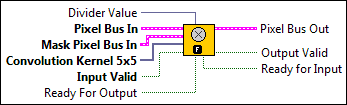
IMAQ FPGA Convolute 5x5 U16x1
Filters an image using a linear filter. The calculations are performed with either integers or floating points, depending on the image type and the contents of the kernel.
Supported Image Types
|
Divider Value is a normalization factor that can be applied to the sum of the obtained products. The VI expects the inverse of the Divider Value input. For example, if the Divider Value is calculated to be 25, take the inverse (1/25 = 0.04) and pass the inverse value to the VI. Refer to the Convolution Kernels topic in the NI Vision Concepts Help for more information. |
|||||||||||||||||||||||||||
|
Pixel Bus In when Input Valid is TRUE, contains one of the following: valid pixel data, an end of line signal, or an end of image signal.
|
|||||||||||||||||||||||||||
|
Mask Pixel Bus In is an image that specifies the region of the image that will be copied. Only pixels in Pixel Bus In that correspond to a non-zero pixel in the mask image are copied. All other pixels are set to 0.
|
|||||||||||||||||||||||||||
|
Convolution Kernel 5x5 is an array that contains the convolution matrix to apply to the image. The kernel buffer should be transposed and then converted to a 1D array before being passed to the Convolution Kernel parameter. For example:
Transpose to:
Convert to 1D array:
|
|||||||||||||||||||||||||||
|
Input Valid specifies whether the next data point has arrived for processing. Wire the Output Valid output of an upstream node to this input to transfer data from the upstream node to this node. |
|||||||||||||||||||||||||||
|
Ready For Output specifies whether downstream nodes are ready for this node to return a new value. The default is TRUE. Use a Feedback Node to wire the Ready for Input output of a downstream node to this input of the current node.
|
|||||||||||||||||||||||||||
|
Pixel Bus Out when Input Valid is TRUE, contains one of the following: valid pixel data, an end of line signal, or an end of image signal.
|
|||||||||||||||||||||||||||
|
Output Valid returns TRUE if this node has computed a result that downstream nodes can use. Wire this output to the Input Valid input of a downstream node to transfer data from the node to the downstream node. |
|||||||||||||||||||||||||||
|
Ready for Input returns TRUE if this node is ready to accept new input data. Use a Feedback Node to wire this output to the Ready for Output input of an upstream node.
|
IMAQ FPGA Convolute 5x5 U16x1 Details
|
Note Resource estimates are based on a 40 MHz clock. |
Virtex-5
Estimated Device Utilization
- Slice Registers: 6908
- Slice LUTs: 6272
- DSP48s: 33
- Block RAMs: 11
Estimated Performance
- Minimum Latency: 28
- Initiation Interval: 1
Spartan-6
Estimated Device Utilization
- Slice Registers: 7102
- Slice LUTs: 6934
- DSP48s: 33
- Block RAMs: 26
Estimated Performance
- Minimum Latency: 28
- Initiation Interval: 1
Zynq
Estimated Device Utilization
- Slice Registers: 7376
- Slice LUTs: 4648
- DSP48s: 29
- Block RAMs: 14
Estimated Performance
- Minimum Latency: 26
- Initiation Interval: 1
Kintex-7
Estimated Device Utilization
- Slice Registers: 7431
- Slice LUTs: 5026
- DSP48s: 29
- Block RAMs: 14
Estimated Performance
- Minimum Latency: 26
- Initiation Interval: 1
IMAQ FPGA Convolute 7x7 U8x1
Filters an image using a linear filter. The calculations are performed with either integers or floating points, depending on the image type and the contents of the kernel.
Supported Image Types

|
Divider Value is a normalization factor that can be applied to the sum of the obtained products. The VI expects the inverse of the Divider Value input. For example, if the Divider Value is calculated to be 25, take the inverse (1/25 = 0.04) and pass the inverse value to the VI. Refer to the Convolution Kernels topic in the NI Vision Concepts Help for more information. |
|||||||||||||||||||||||||||
|
Pixel Bus In when Input Valid is TRUE, contains one of the following: valid pixel data, an end of line signal, or an end of image signal.
|
|||||||||||||||||||||||||||
|
Mask Pixel Bus In is an image that specifies the region of the image that will be copied. Only pixels in Pixel Bus In that correspond to a non-zero pixel in the mask image are copied. All other pixels are set to 0.
|
|||||||||||||||||||||||||||
|
Convolution Kernel 7x7 is an array that contains the convolution matrix to apply to the image. The kernel buffer should be transposed and then converted to a 1D array before being passed to the Convolution Kernel parameter. For example:
Transpose to:
Convert to 1D array:
|
|||||||||||||||||||||||||||
|
Input Valid specifies whether the next data point has arrived for processing. Wire the Output Valid output of an upstream node to this input to transfer data from the upstream node to this node. |
|||||||||||||||||||||||||||
|
Ready For Output specifies whether downstream nodes are ready for this node to return a new value. The default is TRUE. Use a Feedback Node to wire the Ready for Input output of a downstream node to this input of the current node.
|
|||||||||||||||||||||||||||
|
Pixel Bus Out when Input Valid is TRUE, contains one of the following: valid pixel data, an end of line signal, or an end of image signal.
|
|||||||||||||||||||||||||||
|
Output Valid returns TRUE if this node has computed a result that downstream nodes can use. Wire this output to the Input Valid input of a downstream node to transfer data from the node to the downstream node. |
|||||||||||||||||||||||||||
|
Ready for Input returns TRUE if this node is ready to accept new input data. Use a Feedback Node to wire this output to the Ready for Output input of an upstream node.
|
IMAQ FPGA Convolute 7x7 U8x1 Details
|
Note Resource estimates are based on a 40 MHz clock. |
Virtex-5
Estimated Device Utilization
- Slice Registers: 10458
- Slice LUTs: 8203
- DSP48s: 53
- Block RAMs: 11
Estimated Performance
- Minimum Latency: 41
- Initiation Interval: 1
Spartan-6
Estimated Device Utilization
- Slice Registers: 11531
- Slice LUTs: 9621
- DSP48s: 53
- Block RAMs: 21
Estimated Performance
- Minimum Latency: 41
- Initiation Interval: 1
Zynq
Estimated Device Utilization
- Slice Registers: 11279
- Slice LUTs: 6381
- DSP48s: 53
- Block RAMs: 11
Estimated Performance
- Minimum Latency: 36
- Initiation Interval: 1
Kintex-7
Estimated Device Utilization
- Slice Registers: 11053
- Slice LUTs: 6091
- DSP48s: 53
- Block RAMs: 12
Estimated Performance
- Minimum Latency: 36
- Initiation Interval: 1
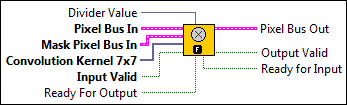
IMAQ FPGA Convolute 7x7 U16x1
Filters an image using a linear filter. The calculations are performed with either integers or floating points, depending on the image type and the contents of the kernel.
Supported Image Types
|
Divider Value is a normalization factor that can be applied to the sum of the obtained products. The VI expects the inverse of the Divider Value input. For example, if the Divider Value is calculated to be 25, take the inverse (1/25 = 0.04) and pass the inverse value to the VI. Refer to the Convolution Kernels topic in the NI Vision Concepts Help for more information. |
|||||||||||||||||||||||||||
|
Pixel Bus In when Input Valid is TRUE, contains one of the following: valid pixel data, an end of line signal, or an end of image signal.
|
|||||||||||||||||||||||||||
|
Mask Pixel Bus In is an image that specifies the region of the image that will be copied. Only pixels in Pixel Bus In that correspond to a non-zero pixel in the mask image are copied. All other pixels are set to 0.
|
|||||||||||||||||||||||||||
|
Convolution Kernel 7x7 is an array that contains the convolution matrix to apply to the image. The kernel buffer should be transposed and then converted to a 1D array before being passed to the Convolution Kernel parameter. For example:
Transpose to:
Convert to 1D array:
|
|||||||||||||||||||||||||||
|
Input Valid specifies whether the next data point has arrived for processing. Wire the Output Valid output of an upstream node to this input to transfer data from the upstream node to this node. |
|||||||||||||||||||||||||||
|
Ready For Output specifies whether downstream nodes are ready for this node to return a new value. The default is TRUE. Use a Feedback Node to wire the Ready for Input output of a downstream node to this input of the current node.
|
|||||||||||||||||||||||||||
|
Pixel Bus Out when Input Valid is TRUE, contains one of the following: valid pixel data, an end of line signal, or an end of image signal.
|
|||||||||||||||||||||||||||
|
Output Valid returns TRUE if this node has computed a result that downstream nodes can use. Wire this output to the Input Valid input of a downstream node to transfer data from the node to the downstream node. |
|||||||||||||||||||||||||||
|
Ready for Input returns TRUE if this node is ready to accept new input data. Use a Feedback Node to wire this output to the Ready for Output input of an upstream node.
|
IMAQ FPGA Convolute 7x7 U16x1 Details
|
Note Resource estimates are based on a 40 MHz clock. |
Virtex-5
Estimated Device Utilization
- Slice Registers: 12555
- Slice LUTs: 11141
- DSP48s: 57
- Block RAMs: 17
Estimated Performance
- Minimum Latency: 29
- Initiation Interval: 1
Spartan-6
Estimated Device Utilization
- Slice Registers: 13832
- Slice LUTs: 13574
- DSP48s: 57
- Block RAMs: 39
Estimated Performance
- Minimum Latency: 29
- Initiation Interval: 1
Zynq
Estimated Device Utilization
- Slice Registers: 20068
- Slice LUTs: 16394
- DSP48s: 54
- Block RAMs: 36
Estimated Performance
- Minimum Latency: 26
- Initiation Interval: 1
Kintex-7
Estimated Device Utilization
- Slice Registers: 12755
- Slice LUTs: 8377
- DSP48s: 54
- Block RAMs: 21
Estimated Performance
- Minimum Latency: 26
- Initiation Interval: 1
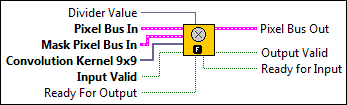
IMAQ FPGA Convolute 9x9 U8x1
Filters an image using a linear filter. The calculations are performed with either integers or floating points, depending on the image type and the contents of the kernel.
Supported Image Types
|
Divider Value is a normalization factor that can be applied to the sum of the obtained products. The VI expects the inverse of the Divider Value input. For example, if the Divider Value is calculated to be 25, take the inverse (1/25 = 0.04) and pass the inverse value to the VI. Refer to the Convolution Kernels topic in the NI Vision Concepts Help for more information. |
|||||||||||||||||||||||||||
|
Pixel Bus In when Input Valid is TRUE, contains one of the following: valid pixel data, an end of line signal, or an end of image signal.
|
|||||||||||||||||||||||||||
|
Mask Pixel Bus In is an image that specifies the region of the image that will be copied. Only pixels in Pixel Bus In that correspond to a non-zero pixel in the mask image are copied. All other pixels are set to 0.
|
|||||||||||||||||||||||||||
|
Convolution Kernel 9x9 is an array that contains the convolution matrix to apply to the image. The kernel buffer should be transposed and then converted to a 1D array before being passed to the Convolution Kernel parameter. For example:
Transpose to:
Convert to 1D array:
|
|||||||||||||||||||||||||||
|
Input Valid specifies whether the next data point has arrived for processing. Wire the Output Valid output of an upstream node to this input to transfer data from the upstream node to this node. |
|||||||||||||||||||||||||||
|
Ready For Output specifies whether downstream nodes are ready for this node to return a new value. The default is TRUE. Use a Feedback Node to wire the Ready for Input output of a downstream node to this input of the current node.
|
|||||||||||||||||||||||||||
|
Pixel Bus Out when Input Valid is TRUE, contains one of the following: valid pixel data, an end of line signal, or an end of image signal.
|
|||||||||||||||||||||||||||
|
Output Valid returns TRUE if this node has computed a result that downstream nodes can use. Wire this output to the Input Valid input of a downstream node to transfer data from the node to the downstream node. |
|||||||||||||||||||||||||||
|
Ready for Input returns TRUE if this node is ready to accept new input data. Use a Feedback Node to wire this output to the Ready for Output input of an upstream node.
|
IMAQ FPGA Convolute 9x9 U8x1 Details
|
Note Resource estimates are based on a 40 MHz clock. |
Virtex-5
Estimated Device Utilization
- Slice Registers: 14156
- Slice LUTs: 16820
- DSP48s: 64
- Block RAMs: 15
Estimated Performance
- Minimum Latency: 51
- Initiation Interval: 1
Spartan-6
Estimated Device Utilization
- Slice Registers: 16183
- Slice LUTs: 14291
- DSP48s: 85
- Block RAMs: 27
Estimated Performance
- Minimum Latency: 51
- Initiation Interval: 1
Zynq
Estimated Device Utilization
- Slice Registers: 20918
- Slice LUTs: 16428
- DSP48s: 85
- Block RAMs: 31
Estimated Performance
- Minimum Latency: 27
- Initiation Interval: 1
Kintex-7
Estimated Device Utilization
- Slice Registers: 13607
- Slice LUTs: 8507
- DSP48s: 85
- Block RAMs: 15
Estimated Performance
- Minimum Latency: 27
- Initiation Interval: 1
IMAQ FPGA Convolute 9x9 U16x1
Filters an image using a linear filter. The calculations are performed with either integers or floating points, depending on the image type and the contents of the kernel.
Supported Image Types

|
Divider Value is a normalization factor that can be applied to the sum of the obtained products. The VI expects the inverse of the Divider Value input. For example, if the Divider Value is calculated to be 25, take the inverse (1/25 = 0.04) and pass the inverse value to the VI. Refer to the Convolution Kernels topic in the NI Vision Concepts Help for more information. |
|||||||||||||||||||||||||||
|
Pixel Bus In when Input Valid is TRUE, contains one of the following: valid pixel data, an end of line signal, or an end of image signal.
|
|||||||||||||||||||||||||||
|
Mask Pixel Bus In is an image that specifies the region of the image that will be copied. Only pixels in Pixel Bus In that correspond to a non-zero pixel in the mask image are copied. All other pixels are set to 0.
|
|||||||||||||||||||||||||||
|
Convolution Kernel 9x9 is an array that contains the convolution matrix to apply to the image. The kernel buffer should be transposed and then converted to a 1D array before being passed to the Convolution Kernel parameter. For example:
Transpose to:
Convert to 1D array:
|
|||||||||||||||||||||||||||
|
Input Valid specifies whether the next data point has arrived for processing. Wire the Output Valid output of an upstream node to this input to transfer data from the upstream node to this node. |
|||||||||||||||||||||||||||
|
Ready For Output specifies whether downstream nodes are ready for this node to return a new value. The default is TRUE. Use a Feedback Node to wire the Ready for Input output of a downstream node to this input of the current node.
|
|||||||||||||||||||||||||||
|
Pixel Bus Out when Input Valid is TRUE, contains one of the following: valid pixel data, an end of line signal, or an end of image signal.
|
|||||||||||||||||||||||||||
|
Output Valid returns TRUE if this node has computed a result that downstream nodes can use. Wire this output to the Input Valid input of a downstream node to transfer data from the node to the downstream node. |
|||||||||||||||||||||||||||
|
Ready for Input returns TRUE if this node is ready to accept new input data. Use a Feedback Node to wire this output to the Ready for Output input of an upstream node.
|
IMAQ FPGA Convolute 9x9 U16x1 Details
|
Note Resource estimates are based on a 40 MHz clock. |
Virtex-5
Estimated Device Utilization
- Slice Registers: 20162
- Slice LUTs: 28904
- DSP48s: 64
- Block RAMs: 20
Estimated Performance
- Minimum Latency: 29
- Initiation Interval: 1
Spartan-6
Estimated Device Utilization
- Slice Registers: 20900
- Slice LUTs: 18943
- DSP48s: 89
- Block RAMs: 51
Estimated Performance
- Minimum Latency: 29
- Initiation Interval: 1
Zynq
Estimated Device Utilization
- Slice Registers: 20313
- Slice LUTs: 13442
- DSP48s: 86
- Block RAMs: 27
Estimated Performance
- Minimum Latency: 27
- Initiation Interval: 1
Kintex-7
Estimated Device Utilization
- Slice Registers: 20091
- Slice LUTs: 13171
- DSP48s: 86
- Block RAMs: 27
Estimated Performance
- Minimum Latency: 27
- Initiation Interval: 1