Connecting to the Device via USB
- Updated2023-02-17
- 2 minute(s) read
Connecting to the Device via USB
Complete the following steps to use a USB cable to connect the NI ELVIS III from the USB device port to your host computer.
-
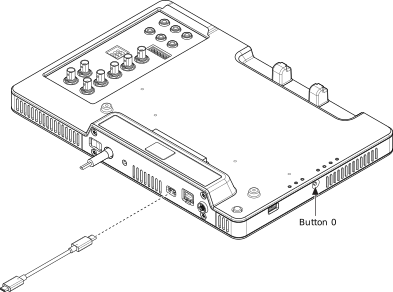
Connect the Type-C to Type-A USB 2.0 cable to the NI ELVIS III as shown in the following figure:
-
Connect the other end of the USB cable to the host computer.
Notice Ensure that the host computer is powered on before connecting the USB cable.
 icon.
icon.
Note The device does not need an ID when connected via USB. The OLED display returns
ID not available when you connect the device via USB only.
Tip Go to Setting up the Host Computer to set up the
software environment.
Tip Go to
Configuring the Device if you need to upgrade the software on the device or set up an administrator password.