SI Estimate User-Defined Model VI
- Updated2023-03-14
- 18 minute(s) read
SI Estimate User-Defined Model VI
Owning Palette: Parametric Model Estimation VIs
Requires: Advanced Signal Processing Toolkit or Control Design and Simulation Module
Estimates a user-defined model. Wire data to the stimulus signal and response signal inputs to determine the polymorphic instance to use or manually select the instance.
SI Estimate User-Defined Model (SISO Waveform)

 |
data specifies the static data, such as constant parameters, that the user-defined function needs at run time. | ||||||||
 |
user defined model is a file path to the VI that defines the model to be estimated. Use the model template in the labview\vi.lib\addons\System Identification\User-Defined Model Templates.llb to create a VI from a template. | ||||||||
 |
stimulus signal specifies the input waveform of the stimulus signal. | ||||||||
|
response signal specifies the input waveform of the response signal. | ||||||||
 |
variables specifies the names and values of the variables in the user-defined model.
| ||||||||
 |
error in describes error conditions that occur before this node runs. This input provides standard error in functionality. | ||||||||
 |
termination describes the stopping conditions for the model estimation.
| ||||||||
 |
response obtained by estimated model returns the simulated response signal from the estimated model. | ||||||||
 |
optimized variables returns the name and optimized value of each variable.
| ||||||||
 |
number of function calls returns the number of times that LabVIEW calls the user-defined model VI. | ||||||||
 |
error out contains error information. This output provides standard error out functionality. |


SI Estimate User-Defined Model (SISO Array)
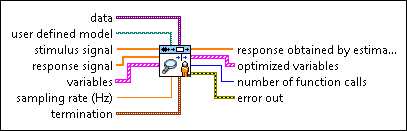
|
data specifies the static data, such as constant parameters, that the user-defined function needs at run time. | ||||||||
|
user defined model is a file path to the VI that defines the model to be estimated. Use the model template in the labview\vi.lib\addons\System Identification\User-Defined Model Templates.llb to create a VI from a template. | ||||||||
 |
stimulus signal specifies an array that represents the stimulus signal. | ||||||||
|
response signal specifies an array that represents the response signal. | ||||||||
|
variables specifies the names and values of the variables in the user-defined model.
| ||||||||
|
error in describes error conditions that occur before this node runs. This input provides standard error in functionality. | ||||||||
 |
sampling rate (Hz) is the signal sampling rate in hertz. The value of sampling rate must be greater than 0. | ||||||||
|
termination describes the stopping conditions for the model estimation.
| ||||||||
 |
response obtained by estimated model returns the simulated response signal from the estimated model. | ||||||||
|
optimized variables returns the name and optimized value of each variable.
| ||||||||
|
number of function calls returns the number of times that LabVIEW calls the user-defined model VI. | ||||||||
|
error out contains error information. This output provides standard error out functionality. |
SI Estimate User-Defined Model (MISO Waveform)

|
data specifies the static data, such as constant parameters, that the user-defined function needs at run time. | ||||||||
|
user defined model is a file path to the VI that defines the model to be estimated. Use the model template in the labview\vi.lib\addons\System Identification\User-Defined Model Templates.llb to create a VI from a template. | ||||||||
 |
stimulus signal specifies the input waveform array of the stimulus signal. | ||||||||
|
response signal specifies the input waveform of the response signal. | ||||||||
|
variables specifies the names and values of the variables in the user-defined model.
| ||||||||
|
error in describes error conditions that occur before this node runs. This input provides standard error in functionality. | ||||||||
|
termination describes the stopping conditions for the model estimation.
| ||||||||
|
response obtained by estimated model returns the simulated response signal from the estimated model. | ||||||||
|
optimized variables returns the name and optimized value of each variable.
| ||||||||
|
number of function calls returns the number of times that LabVIEW calls the user-defined model VI. | ||||||||
|
error out contains error information. This output provides standard error out functionality. |
SI Estimate User-Defined Model (MISO Array)
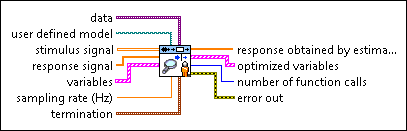
|
data specifies the static data, such as constant parameters, that the user-defined function needs at run time. | ||||||||
|
user defined model is a file path to the VI that defines the model to be estimated. Use the model template in the labview\vi.lib\addons\System Identification\User-Defined Model Templates.llb to create a VI from a template. | ||||||||
 |
stimulus signal specifies an array that represents the stimulus signal. | ||||||||
|
response signal specifies an array that represents the response signal. | ||||||||
|
variables specifies the names and values of the variables in the user-defined model.
| ||||||||
|
error in describes error conditions that occur before this node runs. This input provides standard error in functionality. | ||||||||
|
sampling rate (Hz) is the signal sampling rate in hertz. The value of sampling rate must be greater than 0. | ||||||||
|
termination describes the stopping conditions for the model estimation.
| ||||||||
|
response obtained by estimated model returns the simulated response signal from the estimated model. | ||||||||
|
optimized variables returns the name and optimized value of each variable.
| ||||||||
|
number of function calls returns the number of times that LabVIEW calls the user-defined model VI. | ||||||||
|
error out contains error information. This output provides standard error out functionality. |
SI Estimate User-Defined Model (MIMO Waveform)

|
data specifies the static data, such as constant parameters, that the user-defined function needs at run time. | ||||||||
|
user defined model is a file path to the VI that defines the model to be estimated. Use the model template in the labview\vi.lib\addons\System Identification\User-Defined Model Templates.llb to create a VI from a template. | ||||||||
|
stimulus signal specifies the input waveform array of the stimulus signal. | ||||||||
|
response signal specifies the input waveform array of the response signal. | ||||||||
|
variables specifies the names and values of the variables in the user-defined model.
| ||||||||
|
error in describes error conditions that occur before this node runs. This input provides standard error in functionality. | ||||||||
|
termination describes the stopping conditions for the model estimation.
| ||||||||
 |
response obtained by estimated model returns the simulated response signal from the estimated model. | ||||||||
|
optimized variables returns the name and optimized value of each variable.
| ||||||||
|
number of function calls returns the number of times that LabVIEW calls the user-defined model VI. | ||||||||
|
error out contains error information. This output provides standard error out functionality. |
SI Estimate User-Defined Model (MIMO Array)

|
data specifies the static data, such as constant parameters, that the user-defined function needs at run time. | ||||||||
|
user defined model is a file path to the VI that defines the model to be estimated. Use the model template in the labview\vi.lib\addons\System Identification\User-Defined Model Templates.llb to create a VI from a template. | ||||||||
|
stimulus signal specifies an array that represents the stimulus signal. | ||||||||
|
response signal specifies an array that represents the response signal. | ||||||||
|
variables specifies the names and values of the variables in the user-defined model.
| ||||||||
|
error in describes error conditions that occur before this node runs. This input provides standard error in functionality. | ||||||||
|
sampling rate (Hz) is the signal sampling rate in hertz. The value of sampling rate must be greater than 0. | ||||||||
|
termination describes the stopping conditions for the model estimation.
| ||||||||
 |
response obtained by estimated model returns the simulated response signal from the estimated model. | ||||||||
|
optimized variables returns the name and optimized value of each variable.
| ||||||||
|
number of function calls returns the number of times that LabVIEW calls the user-defined model VI. | ||||||||
|
error out contains error information. This output provides standard error out functionality. |
SI Estimate User-Defined Model Details
The SI Estimate User-Defined Model VI estimates a user-defined model using the Gauss-Newton algorithm to optimize the parameters. This VI requires a predefined model to optimize the parameters. You can use the template in the labview\vi.lib\addons\System Identification\User-Defined Model Templates.llb directory to create a predefined model. If you create a predefined model from scratch, make sure your model has exactly the same connector pane as that in the template.
The predefined model can be either a linear or nonlinear model. The System Identification VIs provide two common nonlinear models, the Weiner model and the Hammerstein model, as examples of defining nonlinear models.
Examples
Refer to the following VIs for examples of using the SI Estimate User-Defined Model VI:
- Estimate Partially Known State-Space Model VI: labview\examples\System Identification\Getting Started\User Defined Model.llb
- Parameterize Nonlinear Differential Equation VI: labview\examples\System Identification\Getting Started\User Defined Model.llb
- Estimate Hammerstein-Wiener Model VI: labview\examples\System Identification\Getting Started\User Defined Model.llb