CD Add Models VI
- Updated2023-03-14
- 7 minute(s) read
CD Add Models VI
Owning Palette: Model Interconnection VIs
Requires: Control Design and Simulation Module
Adds two linear models. You also can use this VI to add a single-input single-output (SISO) model or a constant Gain to each element of a multiple-input multiple-output (MIMO) model. Wire data to the Model 1 and Model 2 inputs to determine the polymorphic instance to use or manually select the instance.
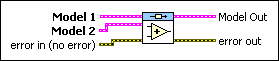
CD Add Models (State-Space and State-Space)
 |
Model 1 specifies the first model this VI uses to create the Model Out. |
|
Model 2 specifies the second model this VI uses to create the Model Out. |
 |
error in describes error conditions that occur before this node runs. This input provides standard error in functionality. |
 |
Model Out returns the model this VI produces. When the two input models are not of the same model type, the following model hierarchy determines the model type of the resulting model: state-space>transfer function>zero-pole-gain. For example, if one input is a state-space model and the other is a zero-pole-gain model, the resulting model is a state-space model. To access and modify the data in the model, use the Model Information VIs. |
 |
error out contains error information. This output provides standard error out functionality. |
CD Add Models (State-Space and Gain)

|
Model In specifies the model to which you want to add the Gain. |
 |
Gain specifies the gain to add to the model. |
|
error in describes error conditions that occur before this node runs. This input provides standard error in functionality. |
|
Model Out returns the model this VI produces. When the two input models are not of the same model type, the following model hierarchy determines the model type of the resulting model: state-space>transfer function>zero-pole-gain. For example, if one input is a state-space model and the other is a zero-pole-gain model, the resulting model is a state-space model. To access and modify the data in the model, use the Model Information VIs. |
|
error out contains error information. This output provides standard error out functionality. |
CD Add Models (Transfer Function and Transfer Function)

|
Model 1 specifies the first model this VI uses to create the Model Out. |
|
Model 2 specifies the second model this VI uses to create the Model Out. |
|
error in describes error conditions that occur before this node runs. This input provides standard error in functionality. |
|
Model Out returns the model this VI produces. When the two input models are not of the same model type, the following model hierarchy determines the model type of the resulting model: state-space>transfer function>zero-pole-gain. For example, if one input is a state-space model and the other is a zero-pole-gain model, the resulting model is a state-space model. To access and modify the data in the model, use the Model Information VIs. |
|
error out contains error information. This output provides standard error out functionality. |
CD Add Models (Transfer Function and Gain)

|
Model In specifies the model to which you want to add the Gain. |
|
Gain specifies the gain to add to the model. |
|
error in describes error conditions that occur before this node runs. This input provides standard error in functionality. |
|
Model Out returns the model this VI produces. When the two input models are not of the same model type, the following model hierarchy determines the model type of the resulting model: state-space>transfer function>zero-pole-gain. For example, if one input is a state-space model and the other is a zero-pole-gain model, the resulting model is a state-space model. To access and modify the data in the model, use the Model Information VIs. |
|
error out contains error information. This output provides standard error out functionality. |
CD Add Models (Zero-Pole-Gain and Zero-Pole-Gain)

|
Model 1 specifies the first model this VI uses to create the Model Out. |
|
Model 2 specifies the second model this VI uses to create the Model Out. |
|
error in describes error conditions that occur before this node runs. This input provides standard error in functionality. |
|
Model Out returns the model this VI produces. When the two input models are not of the same model type, the following model hierarchy determines the model type of the resulting model: state-space>transfer function>zero-pole-gain. For example, if one input is a state-space model and the other is a zero-pole-gain model, the resulting model is a state-space model. To access and modify the data in the model, use the Model Information VIs. |
|
error out contains error information. This output provides standard error out functionality. |
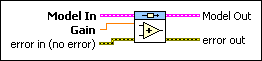
CD Add Models (Zero-Pole-Gain and Gain)
|
Model In specifies the model to which you want to add the Gain. |
|
Gain specifies the gain to add to the model. |
|
error in describes error conditions that occur before this node runs. This input provides standard error in functionality. |
|
Model Out returns the model this VI produces. When the two input models are not of the same model type, the following model hierarchy determines the model type of the resulting model: state-space>transfer function>zero-pole-gain. For example, if one input is a state-space model and the other is a zero-pole-gain model, the resulting model is a state-space model. To access and modify the data in the model, use the Model Information VIs. |
|
error out contains error information. This output provides standard error out functionality. |
CD Add Models Details
Model 1, Model 2, and Model Out are of the same type and have the same number of inputs and outputs. Therefore, this operation is equivalent to a parallel connection of models that share the same set of inputs and whose outputs are added accordingly. The models either must be continuous-time models or must have the same sampling time if they are discrete-time models.
This VI supports delays. This VI transfers the delay information from the input models to the augmented model. Refer to the LabVIEW Control Design User Manual for more information about delays.