Play Waveform
- Updated2025-07-30
- 2 minute(s) read
Plays data from the sound output device using finite sampling. This Express VI automatically configures an output task and clears the task after the output completes.
(Windows) You must have DirectX 8.0 or later to use this VI. (Linux) You must have the Open Sound System (OSS) driver to use this VI.
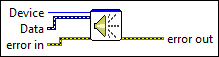
Dialog Box Options
| Option | Description |
|---|---|
| Device | Lists the sound devices you have connected. |
| Device capabilities | Contains the following options:
|
| Test Device | Tests the selected sound device by playing a 500 Hz tone for approximately 1/4 second. |
Inputs/Outputs
 Device
—
Device
—
Lists the sound devices you have connected.  error in
—
error in
—
The error in cluster can accept error information wired from VIs previously called. Use this information to decide if any functionality should be bypassed in the event of errors from other VIs. The pop-up option Explain Error (or Explain Warning) gives more information about the error displayed.  Data
—
Data
—
Specifies the data this Express VI plays. You can wire a waveform, an array of waveforms (one waveform per channel), or the Data output of the Acquire Sound Express VI to this input. The Play Waveform Express VI uses the timing information the waveform data type specifies to play back sound.  error out
—
error out
—
The error out cluster passes error or warning information out of a VI to be used by other VIs. The pop-up option Explain Error (or Explain Warning) gives more information about the error displayed. |