Get Date/Time In Seconds Function
- Updated2026-07-27
- 1 minute(s) read
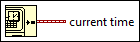
Returns a timestamp of the current time. LabVIEW calculates this timestamp using the number of seconds elapsed since 12:00 a.m., Friday, January 1, 1904, Universal Time.
Use the To Double Precision Float function to convert the timestamp value to a lower precision, floating-point number.
Inputs/Outputs
 current time
—
current time
—
current time returns a timestamp of the LabVIEW system time. LabVIEW calculates this timestamp using the number of seconds elapsed since 12:00 a.m., Friday, January 1, 1904, Universal Time [01-01-1904 00:00:00]. |
Timer resolution is system dependent and might be less accurate than one millisecond, depending on your platform. When you perform timing, use the Tick Count (ms) function to improve resolution.