VIAn Get Tests VI
- Updated2024-07-30
- 3 minute(s) read
Returns a cluster array containing the configuration information for each test in the VI Analyzer task.
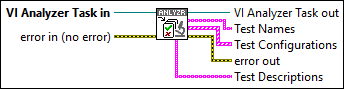
Inputs/Outputs
 VI Analyzer Task in
—
VI Analyzer Task in
—
VI Analyzer Task in contains a reference to the current task. The VI Analyzer task must be a valid task that you created using the VIAn New Task VI.  error in (no error)
—
error in (no error)
—
error in describes error conditions that occur before this node runs. This input provides standard error in functionality.  VI Analyzer Task out
—
VI Analyzer Task out
—
VI Analyzer Task out returns a reference to the VI Analyzer task specified in VI Analyzer Task in.  Test Names
—
Test Names
—
Test Names contains the names of the tests that the VI Analyzer task includes.  Test Configurations
—
Test Configurations
—
Test Configurations contains an array of clusters in which each cluster represents the configuration options for a specific test.
 error out
—
error out
—
error out contains error information. This output provides standard error out functionality.
Test Descriptions
—
|
 Test Ranking
—
Test Ranking
—
 Max Failures
—
Max Failures
—
 Control Name
—
Control Name
—
 Control Value
—
Control Value
—
 Run Test?
—
Run Test?
—